
The Extensions section provides an overview of all configured PBX extensions, including user details, activation status, transport configuration, and available management actions.
It enables administrators to create, manage, import, export, filter, and maintain extensions from a centralized interface.
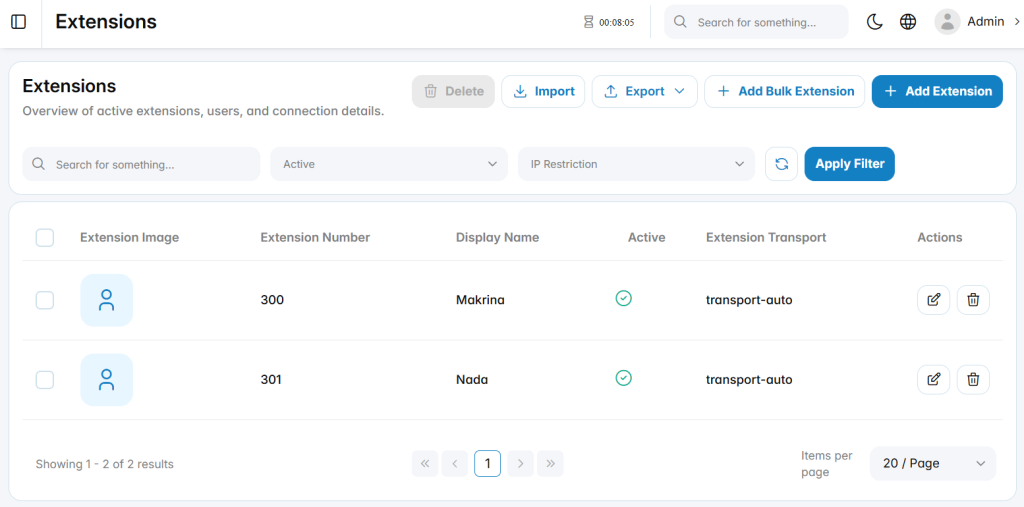
Add Extension
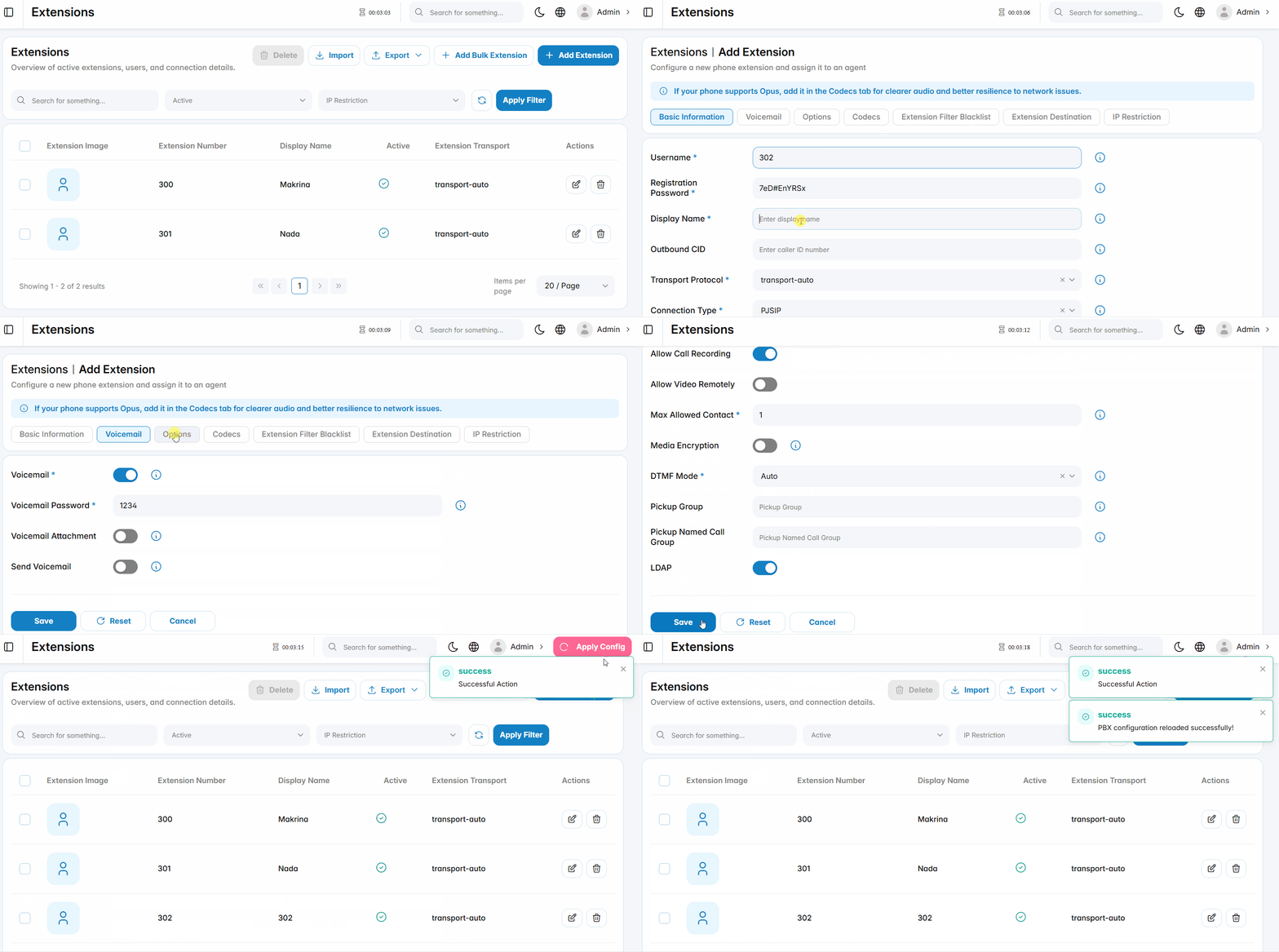
In details
Basic Information
The Basic Information tab contains the primary fields required to create an extension.
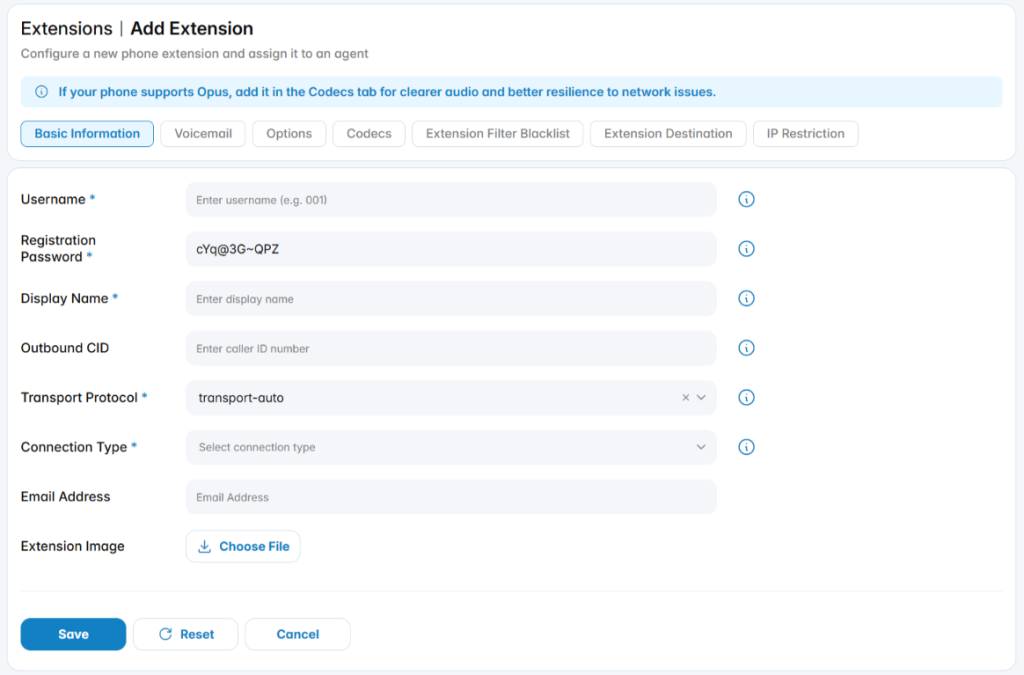
Username: The numeric identifier used to dial and reach this user within the PBX system.
Password: The authentication credential required for the extension to successfully register with the PBX.
Display Name: The display name associated with this extension, which will appear as the Caller ID for outbound calls.
Outbound CID: Specifies a custom Caller ID for outbound calls made through this extension. This value will override the default Caller ID configured at the trunk level.
Transport Protocol: Defines the SIP transport method used by the extension. The default is Auto, but this can be changed in the Transport tab to UDP,TCP, TLS, or other supported protocols.
Connection Type: Specifies the type of device or connection assigned to the extension.
Email Address: Associates an email address with the extension.
Extension Image: Allows uploading a profile image for the extension.
Voicemail
The Voicemail tab is used to configure voicemail settings for an extension.
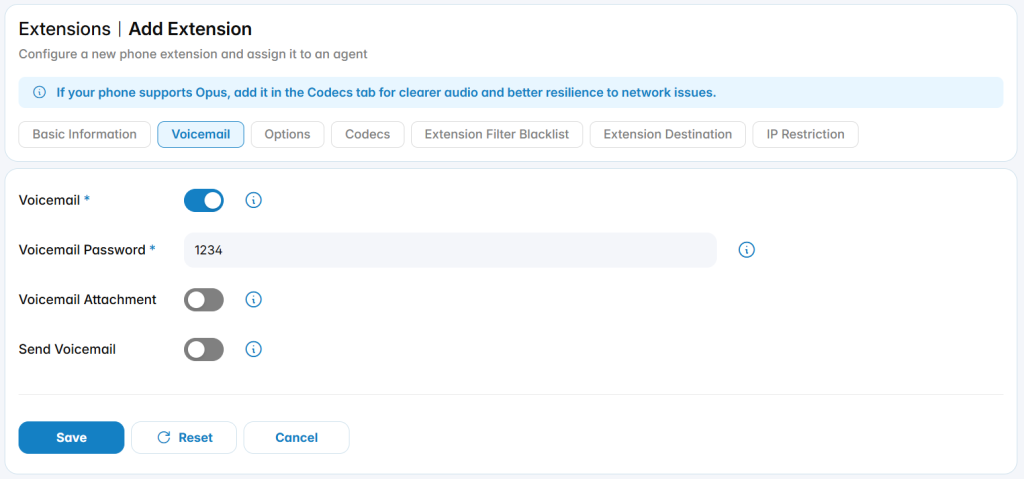
Voicemail: Enable this option to activate voicemail functionality for the extension,Voicemail is enabled by default.
Voicemail Password: The numeric password required to access the voicemail system. This password must contain digits only.
Voicemail Attachment: When enabled, voicemail messages will be sent as audio file attachments to the user’s email.
Send Voicemail: If enabled, voicemail notifications will be emailed directly to the user.
Options
The Options tab is used to configure advanced behavior for an extension
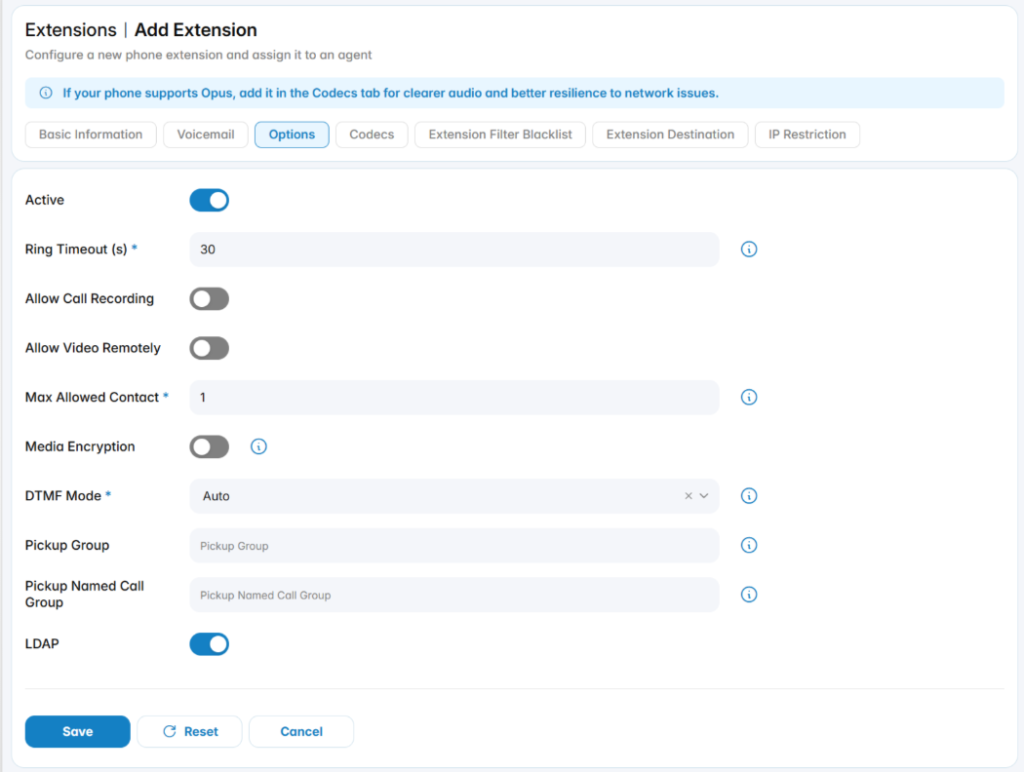
Active: Enables the extension for use in all configured destinations. This option is enabled by default.
Ring Timeout(s): Specifies the duration, in seconds, that the phone will ring before the call is considered unanswered. You may enter a custom value directly.
Allow Call Recording: Enable this option to allow call recording for the extension.
Max Allowed Contact: Defines the maximum number of endpoints that can register to this extension simultaneously.
Media Encryption: Enables encryption of RTP (Real-Time Transport Protocol) audio and video streams to enhance security and prevent unauthorized interception.
DTMF Mode: Defines how DTMF tones are transmitted during calls. This is commonly used for IVR navigation and keypad input during active calls.
Pickup Group: Allows users in the same group to answer each other’s ringing calls by dialing a predefined code (e.g., *8).
Pickup Named Call Group: Assign a descriptive name to the pickup group for organizational purposes.
LDAP: Enable this option allows the extension to be published in the LDAP directory. This option is enabled by default. For more information about LDAP, click here.
Codec
The Codecs tab is used to manage the audio and media codecs assigned to an extension.
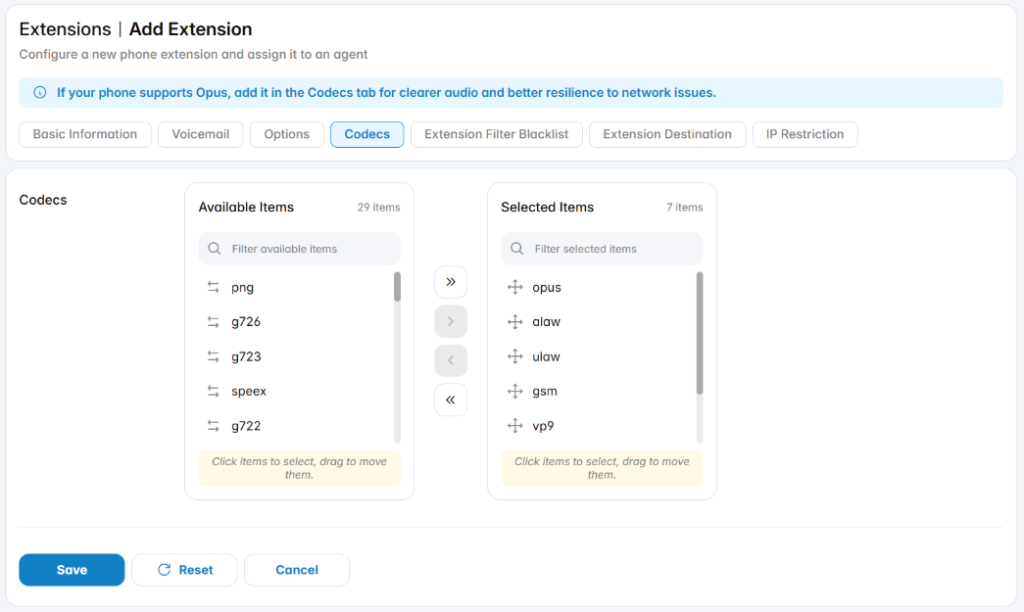
Select the codecs supported by the device. You can prioritize and enable the codecs that best suit your network and call quality requirements.
Extension Filter Blacklist
The Extension Filter Blacklist tab is used to define call filtering rules for a specific extension.
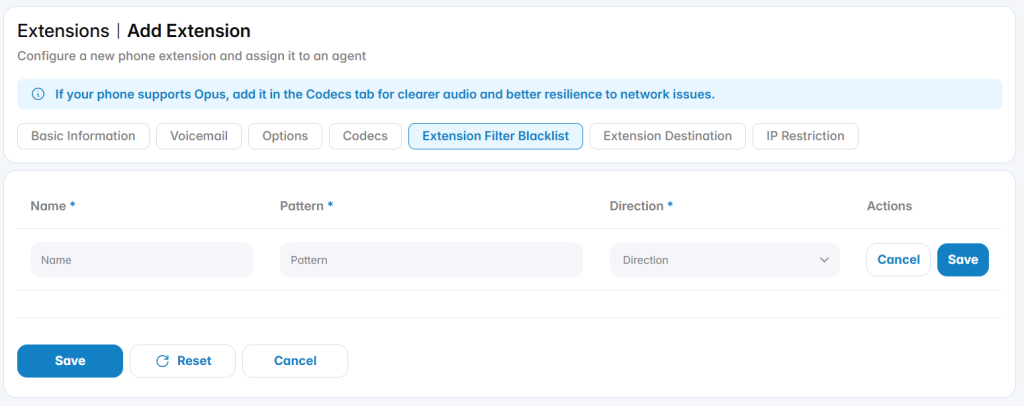
Name: A descriptive label for the blacklist rule.
Pattern: Define the number pattern or extension to be blocked.
Direction: Specify the direction in which the rule applies — Send, Receive, or Both.
Extension Destination
The Extension Destination tab is used to configure routing behavior for an extension when specific call conditions are met.
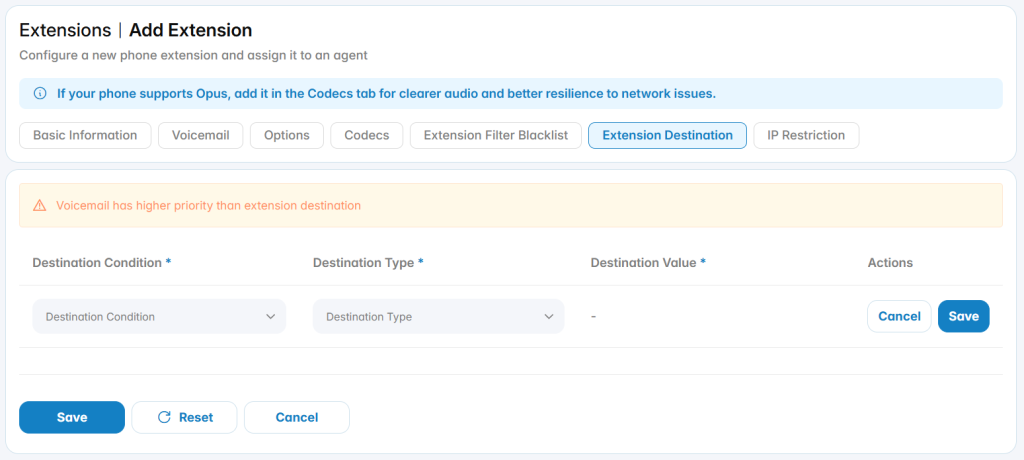
Destination condition: Define how incoming calls are routed based on specific conditions.
- Unconditional: Always redirect calls to the specified destination.
- No Answer: Redirect calls if the extension does not answer.
- Busy: Redirect calls when the extension is busy.
Destination Type: Select the desired destination from the dropdown list (e.g., extension, voicemail, ring group, queue).
IP Restriction
The IP Restriction tab is used to control whether an extension can be accessed only from approved IP addresses.
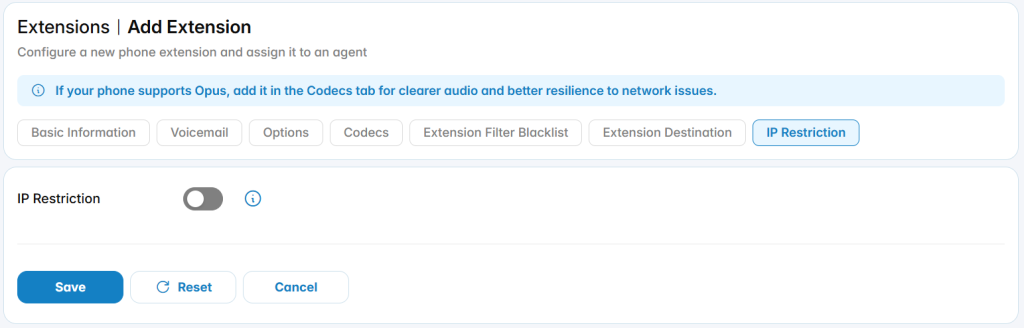
Enable this option to enhance VoIP security by limiting registration to specific IP addresses or subnets. Once enabled, only IPs that match the defined criteria will be allowed to register this extension.
Add Bulk Extension
Use this feature to create multiple extensions simultaneously, streamlining the process of adding a large number of users to the system efficiently.
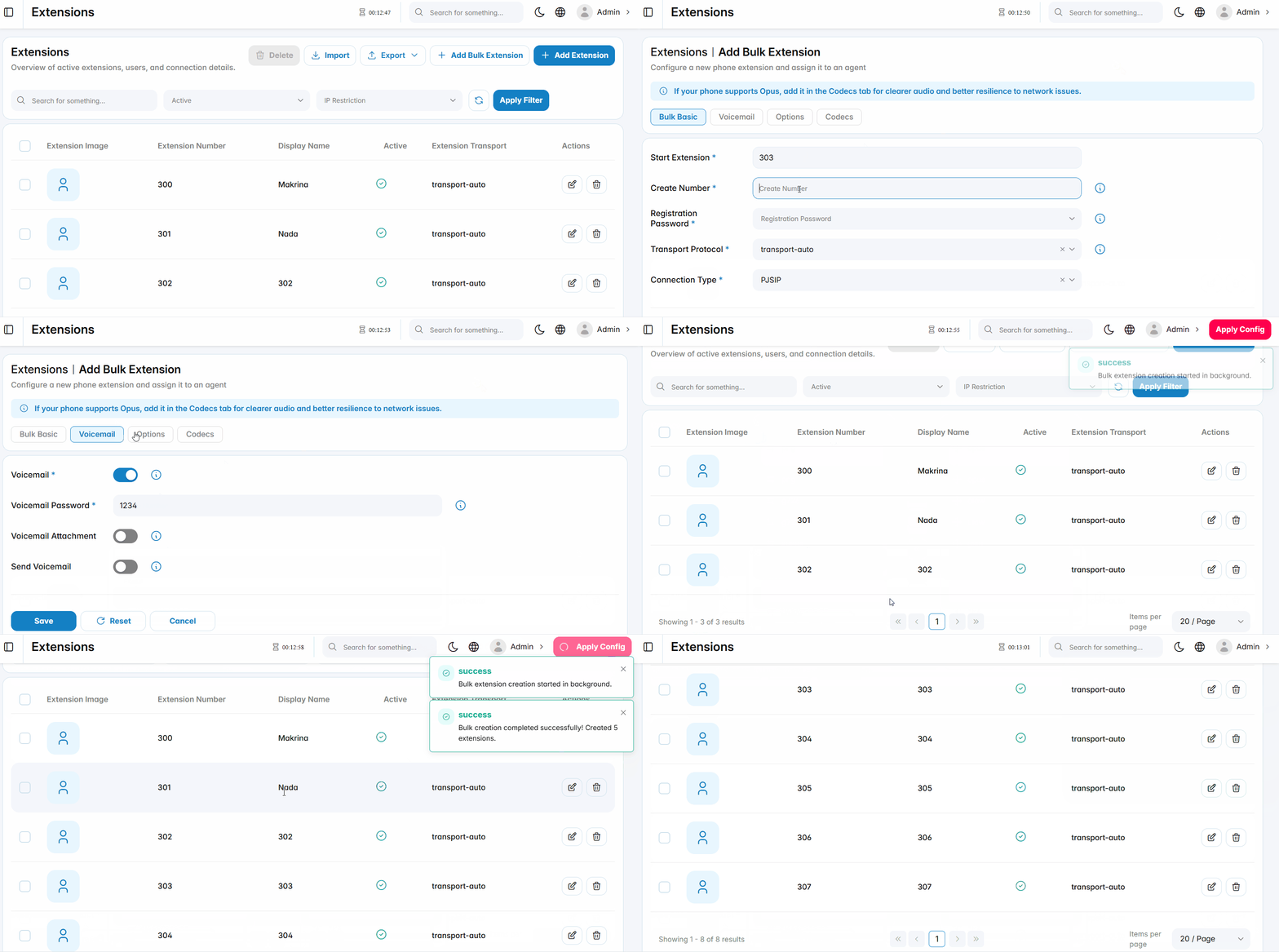
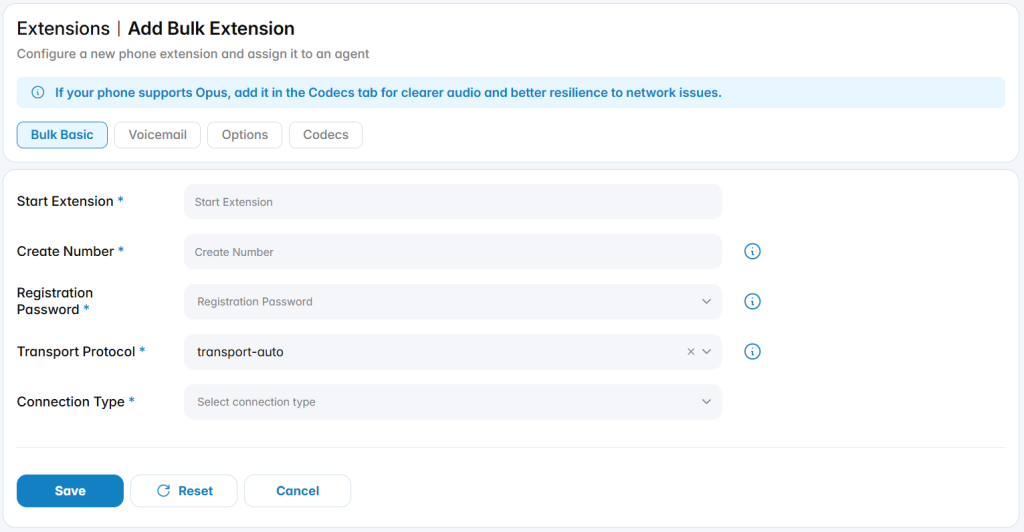
Start Extension: The initial extension number in the sequence.
Create Number: The total number of extensions to be created.
Import
Uploads extension data into the system.
Export
Download a file with all the extensions created in the PBX system and save it to your local device.
PBX supports CSV, XLSX, JSON, and HTML file formats.