The Outbound Route section defines how internal users can make calls to external numbers through selected trunks. It controls which extensions are allowed to dial out, what trunk they use, and how numbers should be formatted.
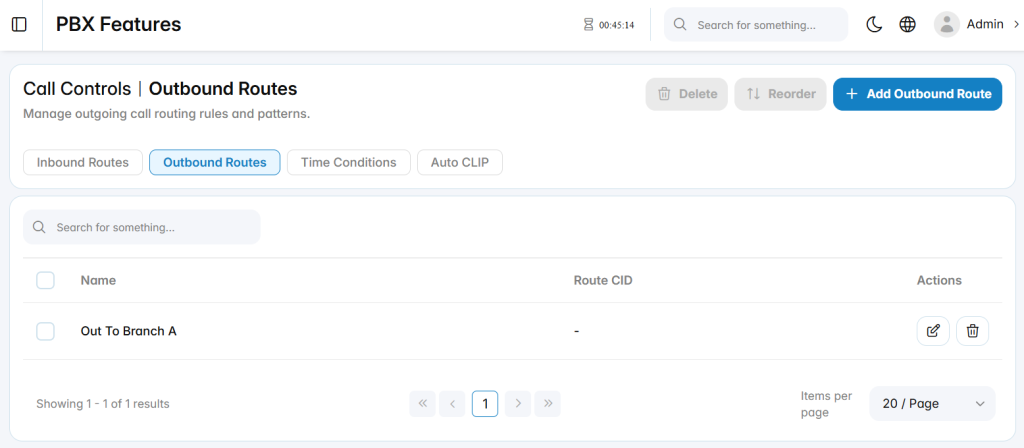
Add Outbound Route
The Add Outbound Route section is used to create a new outgoing call route.
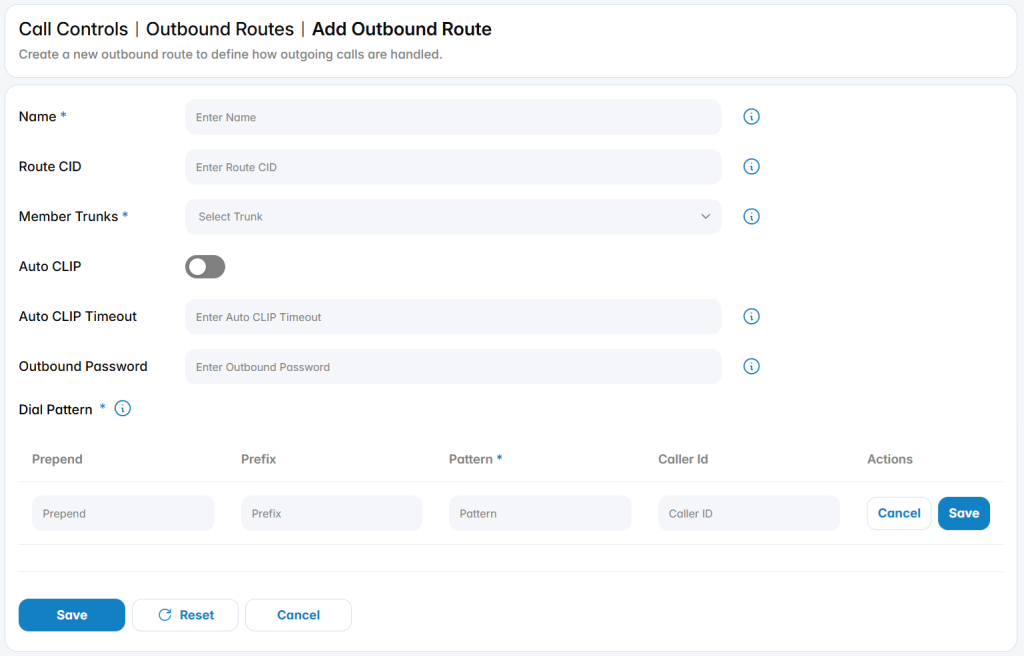
Name: Defines the name used to identify the outbound route.
Route CID: Optionally set a Caller ID for this route. If configured, it will override all other Caller IDs except the Extension-level CID.
Member Trunks: Select the trunk(s) that calls matching this route will use.
Outbound Password: Adds password protection for calls using this route when required.
Auto CLIP
The Auto CLIP section allows you to enable automatic call return mapping, ensuring that incoming calls from previously dialed numbers are routed back to the original extension.
Auto CLIP: Enable this option to activate Auto CLIP functionality.
Auto CLIP Timeout: Define how long Auto CLIP records are retained. Once the time expires, the system automatically deletes the record.
- Note: Once an incoming call matches an Auto CLIP record and is routed to the original extension, that record is automatically removed from the Auto CLIP table.
Dial Pattern
Dial pattern rules control how outgoing numbers are matched and modified before being sent through the selected trunk.
Each dial pattern entry includes the following fields:
- Prepend: Defines digits to be added before the dialed number after the rule is matched.
- Prefix: Defines digits that must be matched and removed before the call is sent.
- Pattern: Defines the dial pattern used to match outgoing calls.
- Caller ID: Optional Caller ID number or pattern that must match for the rule to apply.
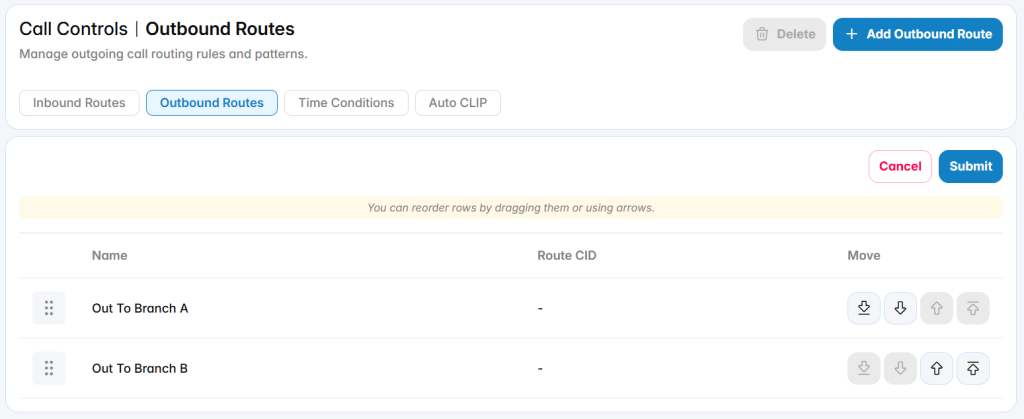
Reorder
Adjusts the priority of outbound routes. Route order is important because outgoing calls are matched against routes based on their configured sequence.