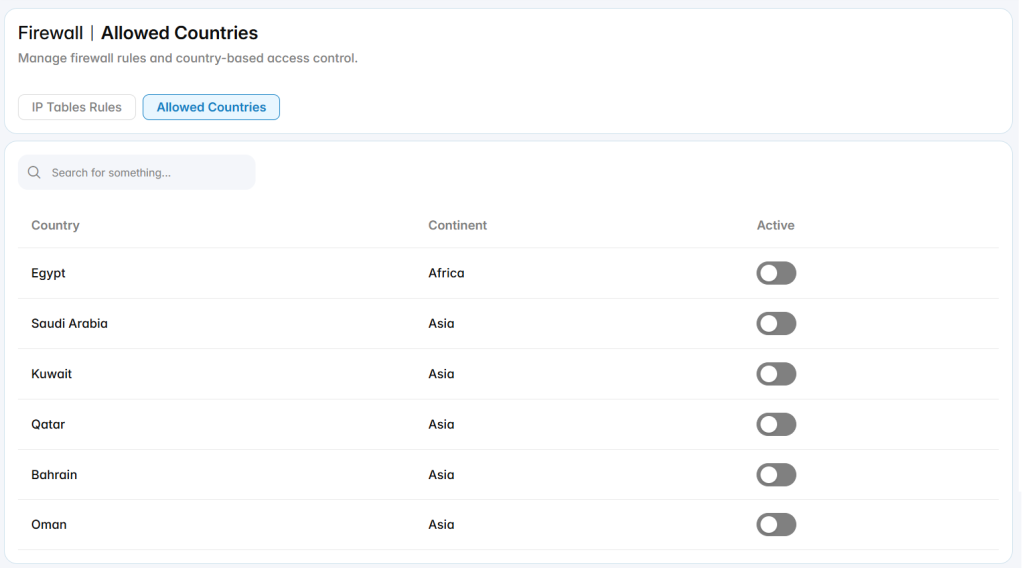
The Firewall section is used to manage firewall protection and access control rules for the PBX system. It allows administrators to control which IP addresses, domains, ports, and countries are allowed or restricted from accessing system services.
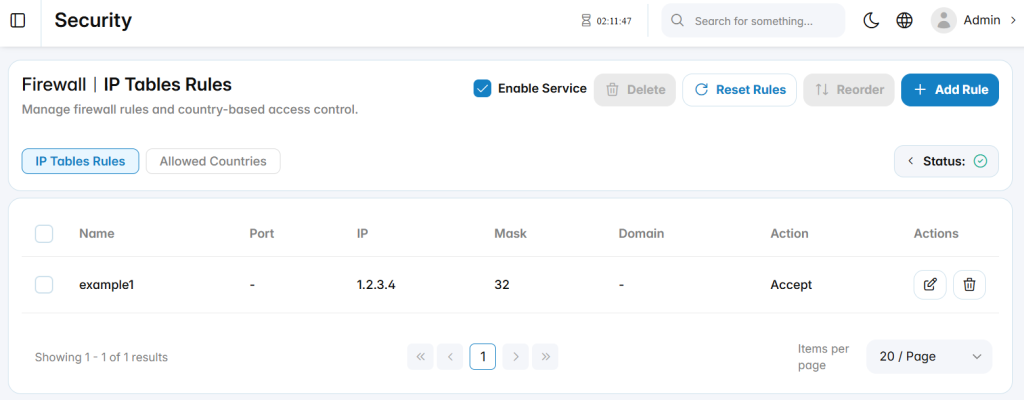
Firewall Service
Enable Service: Enables or disables the firewall service.
Status: Displays the current firewall service state.
Reset Rules: Restores firewall rules to the default configuration.
Reorder: Adjusts the order in which firewall rules are applied.
Firewall Rule Categories
The firewall configuration includes the following categories:
- IP Tables Rules: Manages rule-based access control using IP addresses, ports, masks, domains, and actions.
- Allowed Countries: Manages country-based access control when geographic filtering is required.
IP Tables Rules
The IP tables rules list displays configured firewall rules and their main details.
Add Rule
The Add Rule section is used to create a new firewall rule for controlling access to PBX services.
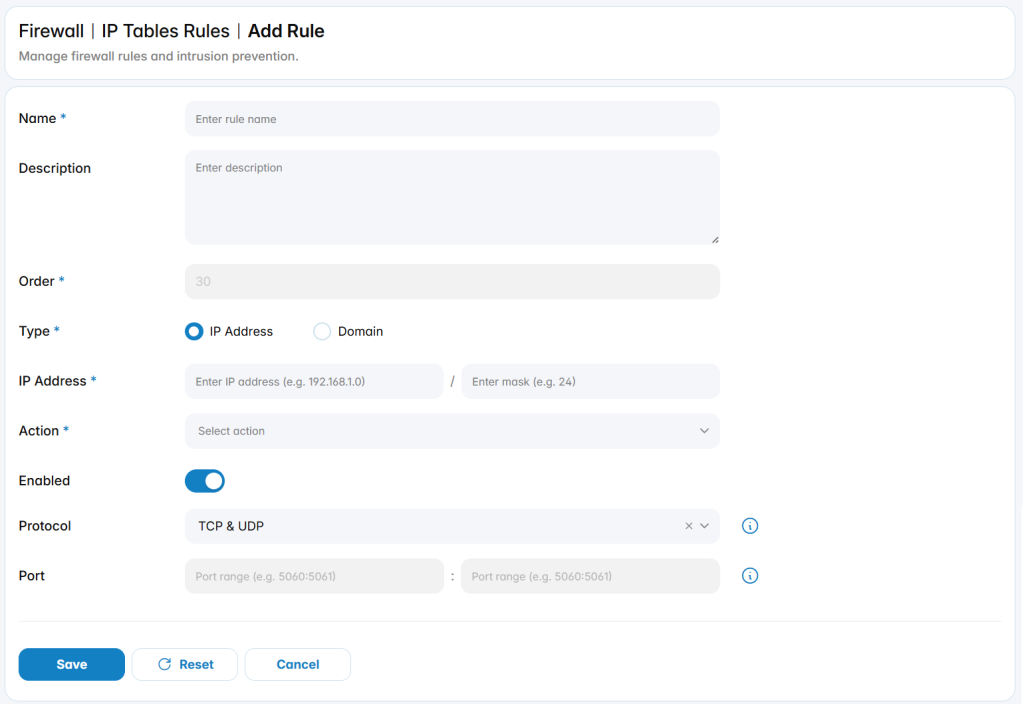
Name: Defines the name used to identify the firewall rule.
Description: Provides optional details about the purpose of the rule.
Order: Defines the rule priority. Rules are applied according to their order.
Type: Specifies whether the rule applies to an IP Address or a Domain.
IP Address: Defines the IP address and mask used to match network traffic when IP Address is selected.
Action: Defines the action applied to matching traffic, such as Accept or Reject access.
Enabled: Enables or disables the firewall rule without deleting it.
Protocol: Defines the protocol affected by the rule, such as TCP, UDP, or both.
Port: Defines the port or port range affected by the rule.
Allowed Countries
The Allowed Countries section is used to manage country-based access control for the PBX system. It allows administrators to control whether traffic from specific countries is permitted based on geographic filtering rules.