
The IVR section is used to manage Interactive Voice Response menus configured in the PBX system. IVR menus allow incoming calls to be handled automatically by playing voice prompts and routing callers based on keypad selections or timeout behavior.
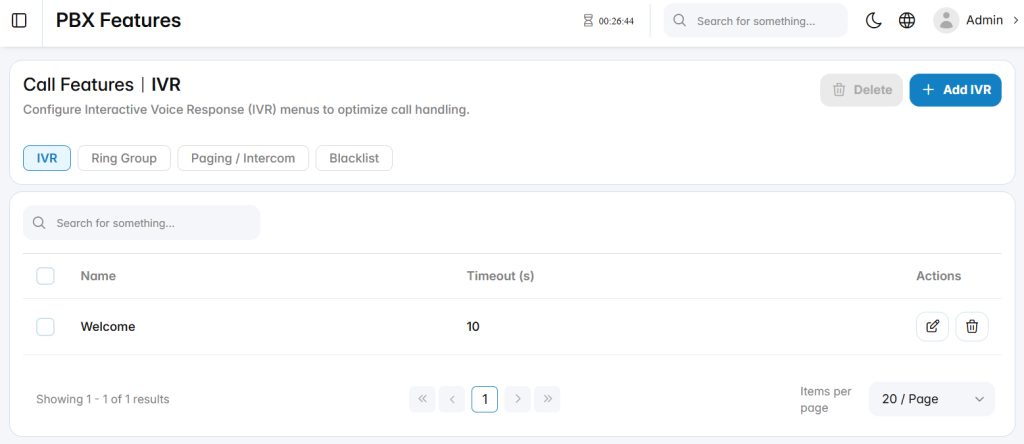
Add IVR
The Add IVR section is used to configure a new Interactive Voice Response menu.
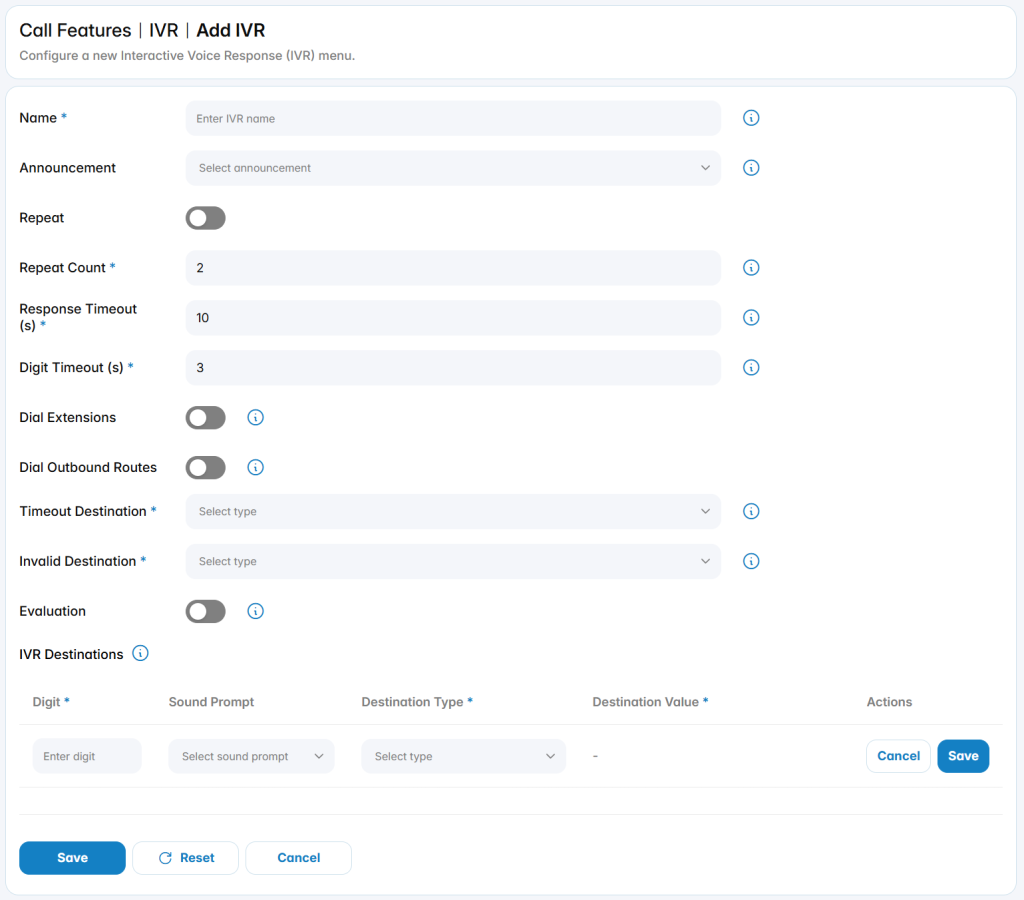
Name: Defines the name used to identify the IVR menu.
Announcement: Selects the audio prompt played to callers when they reach the IVR.
Repeat: Enables or disables repeating the announcement when no valid input is received.
Repeat Count: Defines how many times the IVR announcement can be repeated.
Response Timeout (s): Defines how long the system waits for caller input after the announcement is played.
Digit Timeout (s): Defines the maximum delay allowed between digits when the caller enters input.
Dial Extensions: Allows callers to dial internal extensions directly from the IVR.
Dial Outbound Routes: Allows callers to access outbound routes from the IVR when permitted.
Timeout Destination: Defines where the call is routed when no input is received within the configured timeout.
Invalid Destination: Defines where the call is routed when the caller enters an invalid option.
IVR Destinations
The IVR Destinations area defines the keypad options available to callers. Each destination rule maps a caller’s digit input to a specific routing destination.
Each destination entry includes the following fields:
- Digit: Defines the keypad digit callers press to select the option.
- Sound Prompt: Selects an optional prompt associated with the digit selection.
- Destination Type: Defines the type of destination used for routing.
- Destination Value: Defines the specific destination selected based on the destination type.