
The Contacts section is used to manage contact records within the Call Center system. It allows users to create, search, filter, import, export, and maintain contact information from a centralized management interface.
This section helps administrators organize customer and business contact data, assign contacts to groups and tags, and manage communication preferences.
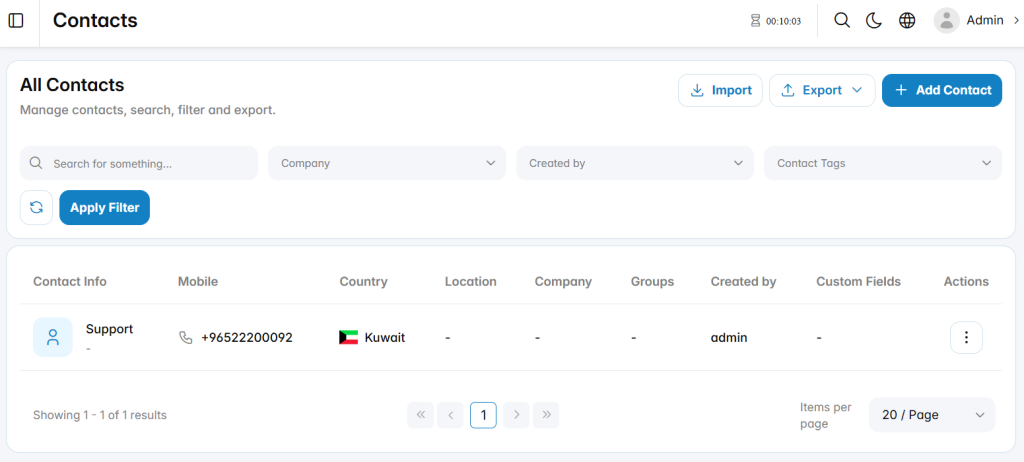
Add Contact
The Add Contact section is used to create a new contact record within the Call Center system.
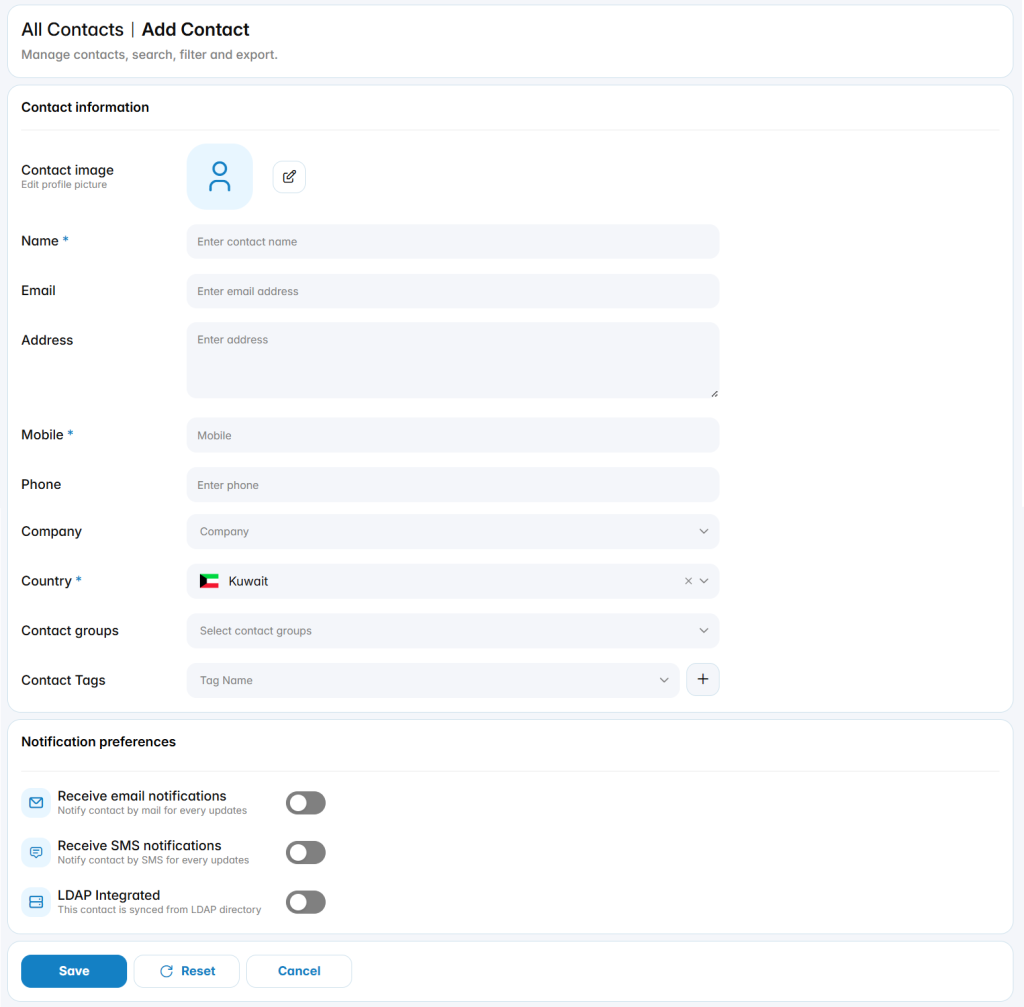
Contact Information
The available fields define the main information associated with the contact.
Contact Image: Specifies the profile image used for the contact.
Name: Defines the contact name.
Email: Defines the email address associated with the contact.
Address: Defines the contact address.
Mobile: Defines the primary mobile number used for the contact.
Phone: Defines an additional phone number.
الشركة: Specifies the company associated with the contact.
Country: Defines the country associated with the contact.
Contact Groups: Assigns the contact to one or more configured contact groups.
Contact Tags: Assigns tags used to categorize and organize the contact.
Notification Preferences
The notification settings define how the contact can receive updates from the system.
Receive Email Notifications: Enables or disables email notifications for the contact.
Receive SMS Notifications: Enables or disables SMS notifications for the contact.
LDAP Integrated: Indicates whether the contact is synchronized with an LDAP directory.