
The ODBC Settings section is used to configure database connections through ODBC within the Call Center system. It allows administrators to define the database driver, connection details, table information, and related fields required for external database access.
This section helps administrators connect the Call Center system with external databases for data lookup, integration, or other database-based operations.
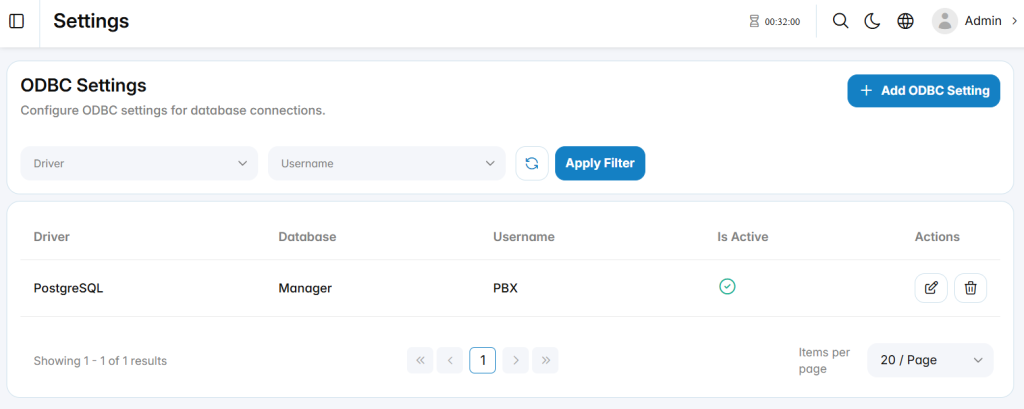
Add ODBC Setting
The Add ODBC Setting section is used to create a new ODBC database connection.
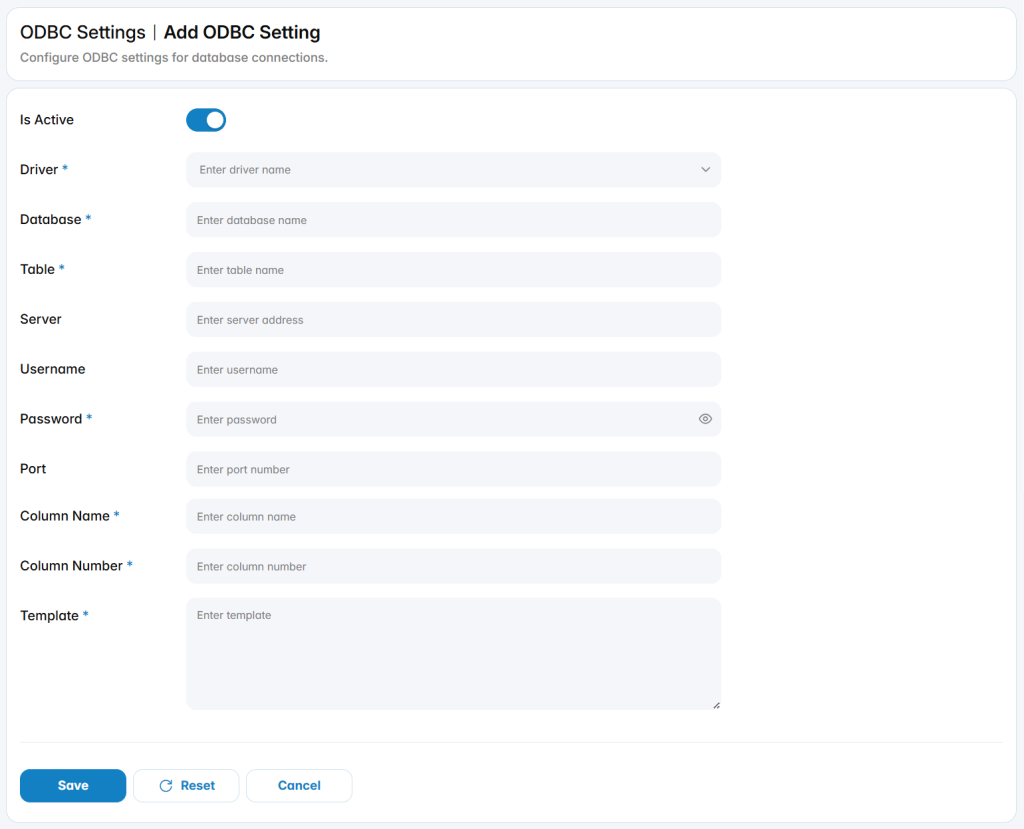
Is Active: Enables or disables the ODBC configuration.
Driver: Specifies the ODBC driver used for the database connection.
Database: Defines the name of the target database.
Table: Defines the database table used by the configuration.
Server: Defines the address of the database server.
Username: Defines the username used to connect to the database.
Password: Defines the password used to authenticate with the database.
Port: Defines the network port used for the database connection.
Column Name: Defines the database column used for name-related information.
Column Number: Defines the database column used for number-related information.
Template: Defines the template used to format or process the retrieved database information.