
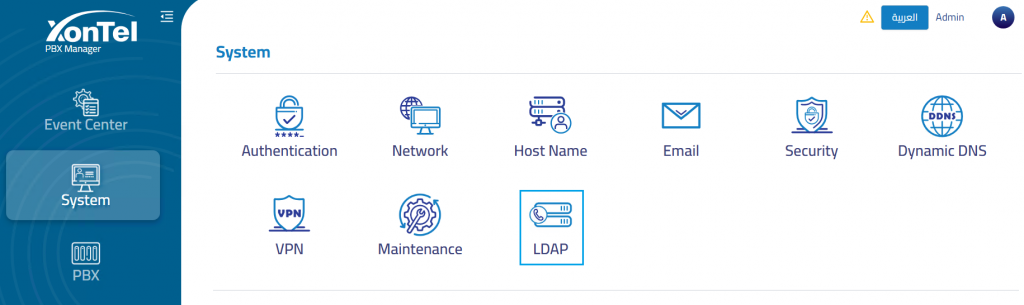
The LDAP section is used to configure directory integration for the PBX system. LDAP can be used to provide centralized contact and extension directory access for supported phones, extensions, and Call Center services.
Administrators can configure the PBX to operate in either LDAP Server mode or LDAP Client mode, depending on whether the PBX will provide directory data to phones or retrieve directory data from an external LDAP server.
LDAP Configuration Modes
The LDAP configuration mode determines how the PBX interacts with directory services.
LDAP Client: Allows the PBX to connect to an external LDAP server, access directory data, and pull the available contacts into the Call Center contacts directory.
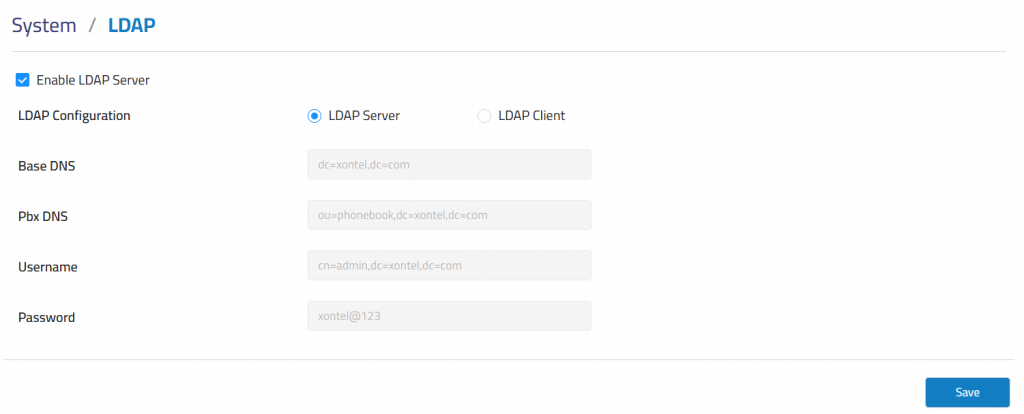
LDAP Server: Allows the PBX to provide directory information to supported IP phones. When this mode is active and the LDAP option is enabled on the phone, the phone can retrieve extensions and contacts from the Call Center directory.
LDAP Server
When LDAP Server mode is selected, the PBX acts as the directory source. Supported phones can connect to the PBX LDAP service and retrieve extension and contact information from the Call Center when LDAP is enabled on the phone configuration.
LDAP Client
When LDAP Client mode is selected, the PBX connects to an external LDAP server to access directory information. In this mode, the system can retrieve LDAP directory data and import or synchronize the available contacts into the Call Center contacts directory.
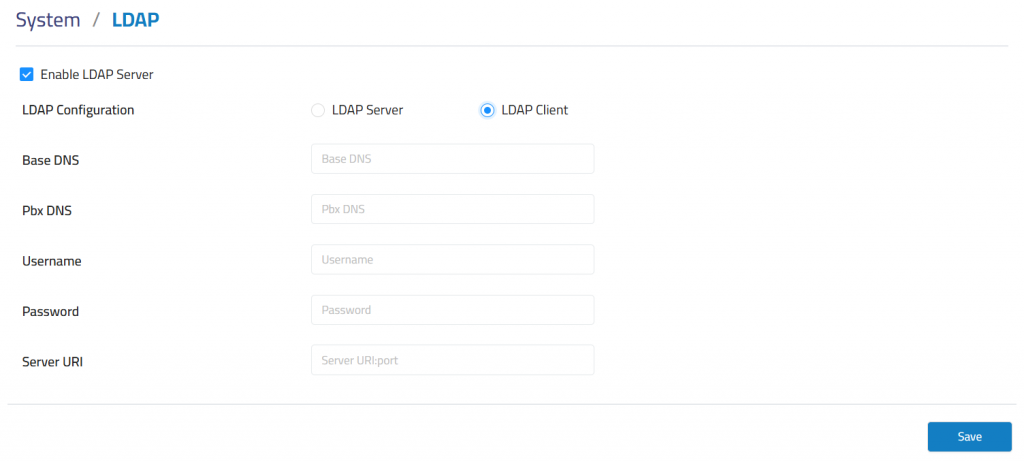
Base DN: Defines the base directory path used when searching the external LDAP directory.
PBX DN: Defines the directory path or container used for PBX-related directory entries.
Username: Defines the username used to authenticate with the external LDAP server.
Password: Defines the password used for LDAP authentication.
Server URI: Defines the LDAP server address, including protocol and port when required.