
The Users section allows administrators to create and manage system users and configure their access to Call Center features.
Users can be configured with different roles, including Agent, Supervisor, and End User. Each user can be assigned specific permissions, queues, extensions, and authentication settings based on their role.
User List
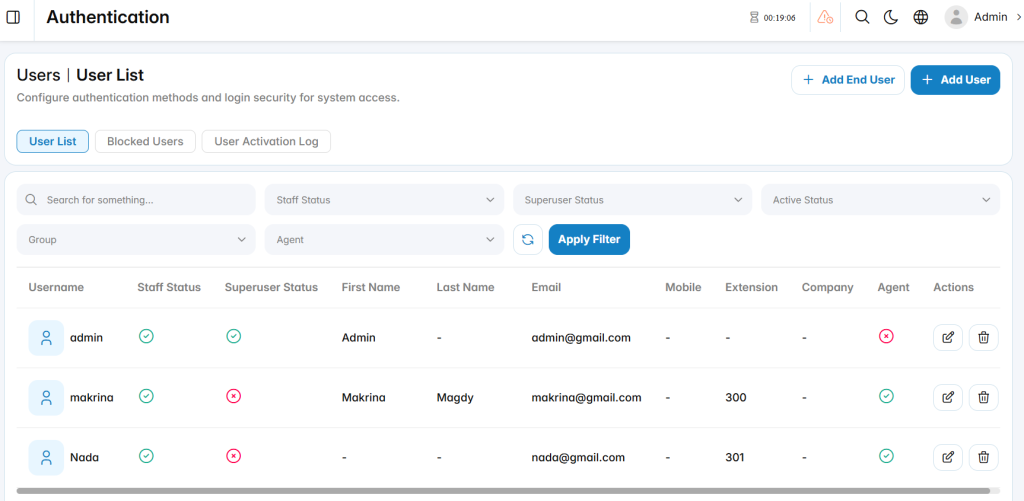
The User List displays all users available in the system and provides options to search, filter, edit, and delete users.
Add User
The Add User section is used to create a new user account and configure the user’s access.
Personal Info
The Personal Info section is used to define the user’s account credentials and personal information.
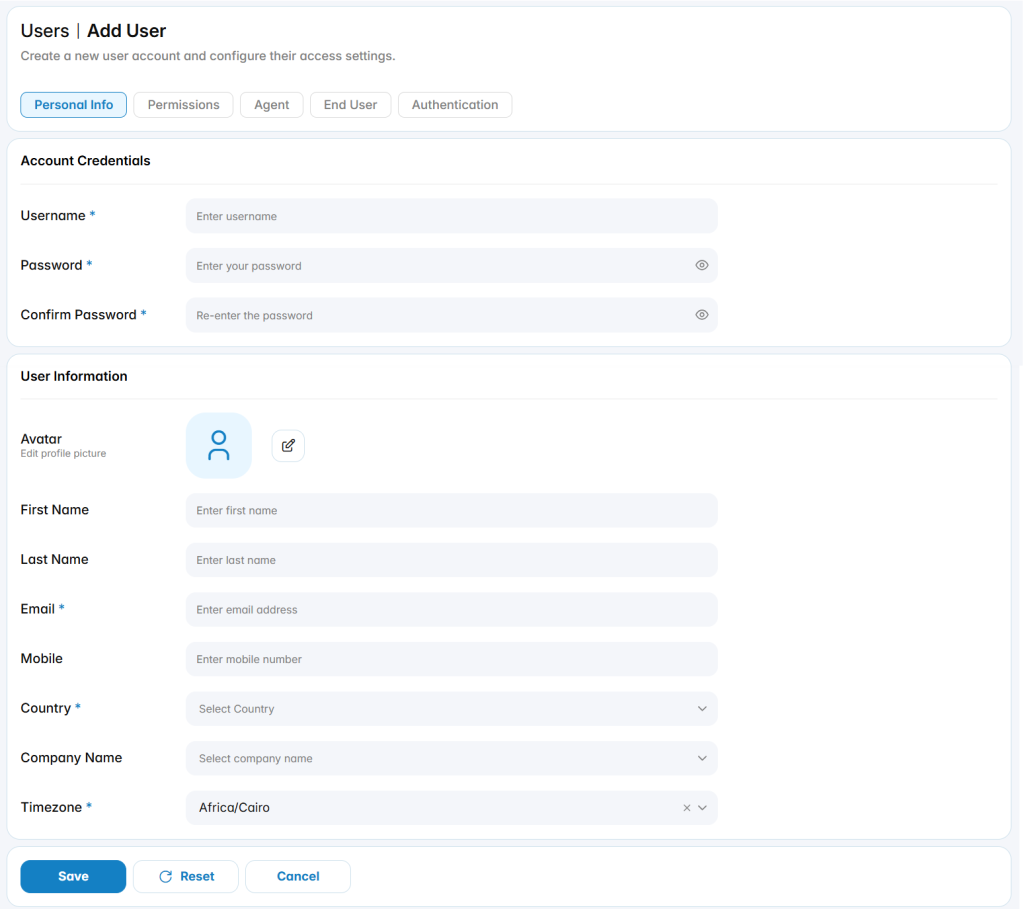
Account Credentials
Username: Defines the username used to access the system.
Password: Defines the password used to access the system.
Confirm Password: Confirms the password entered for the user.
User Information
Avatar: Defines the user’s profile picture.
First Name: Specifies the user’s first name.
Last Name: Specifies the user’s last name.
Email: Defines the email address associated with the user.
Mobile: Defines the user’s mobile number.
Country: Specifies the user’s country.
Company Name: Specifies the company associated with the user.
Timezone: Defines the timezone used for the user’s account.
Permissions
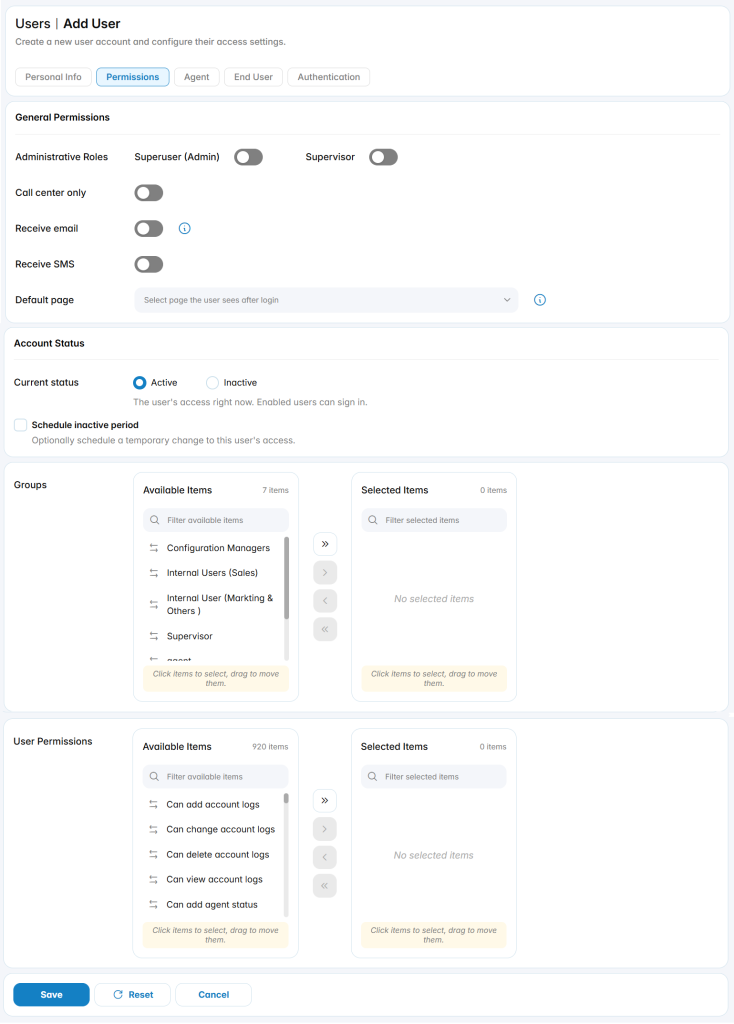
The Permissions section is used to configure the user’s general access and system permissions.
General Permissions
Superuser (Admin): Grants administrative access to the PBX system.
Supervisor: Enables the Supervisor role.
Call Center Only: Restricts the user’s access to Call Center functionality.
Receive Email: Allows the user to receive email notifications.
Receive SMS: Allows the user to receive SMS notifications.
Default Page: Defines the default section displayed after login.
Account Status
The Account Status section controls the user’s access to the PBX system.
Active: Allows the user to access the system.
Inactive: Prevents the user from accessing the system.
Schedule inactive/active period: Allows administrators to schedule a temporary inactive/active period for the user.
Groups
The Groups section is used to assign the user to configured groups.
Administrators can move groups between Available Items and Selected Items to define the groups assigned to the user.
User Permissions
The User Permissions section is used to assign individual permissions to the user.
Administrators can move permissions between Available Items and Selected Items to define the actions available to the user.
Agent
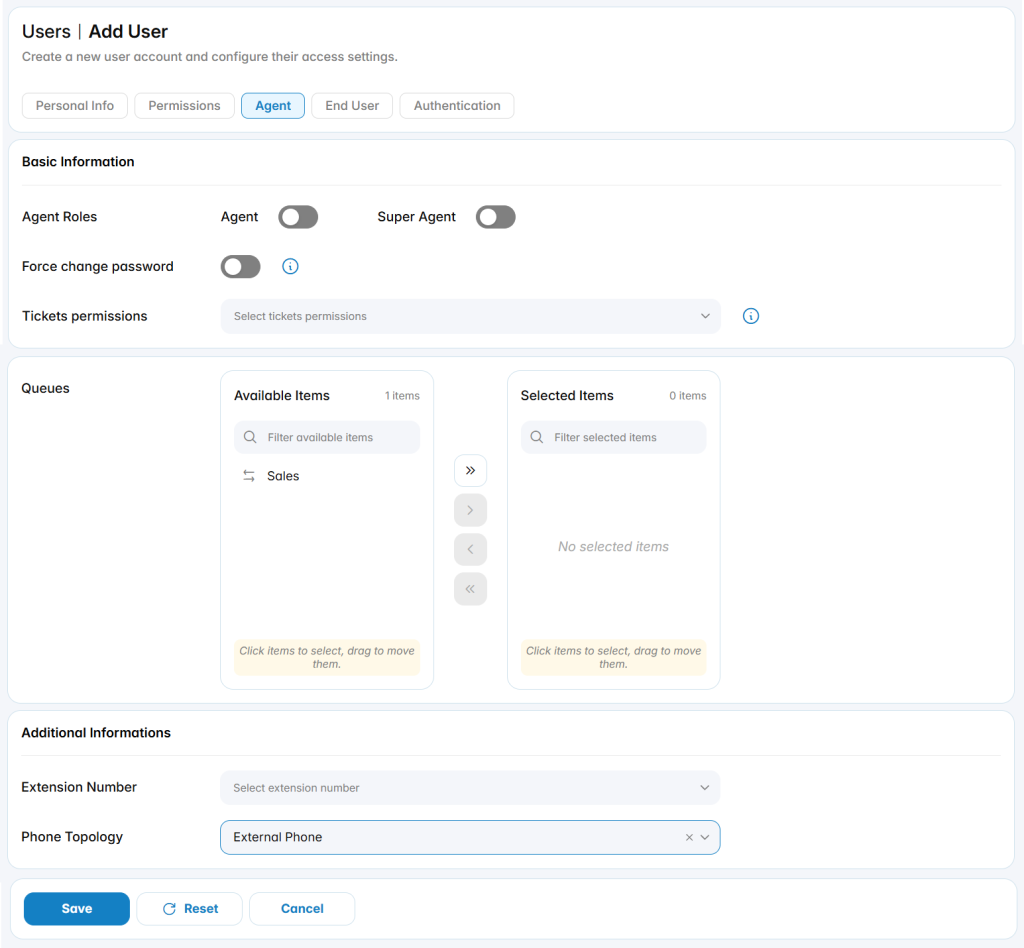
The Agent section is used to configure the user as a Call Center agent.
Basic Information
Agent: Enables the Agent role for the user.
Super Agent: Enables the Super Agent role.
Force change password: Requires the user to change their password.
Tickets permissions: Defines the ticket permissions assigned to the agent.
Queues
The Queues section is used to assign the agent to configured Call Center queues.
Administrators can move queues between Available Items and Selected Items to define the queues handled by the agent.
Additional Information
Extension Number: Specifies the extension assigned to the agent.
Phone Topology: Defines the phone topology used by the agent.
End User
The End User section is used to configure the user as an End User and associate the account with a contact.
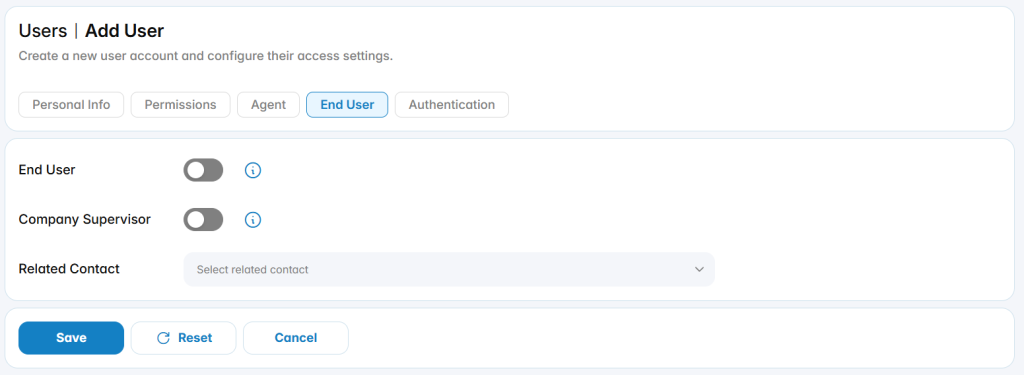
End User: Enables the End User role.
Company Supervisor: Enables the Company Supervisor role.
Related Contact: Specifies the contact associated with the End User.
Authentication
The Authentication section is used to configure additional security options for the user’s login.
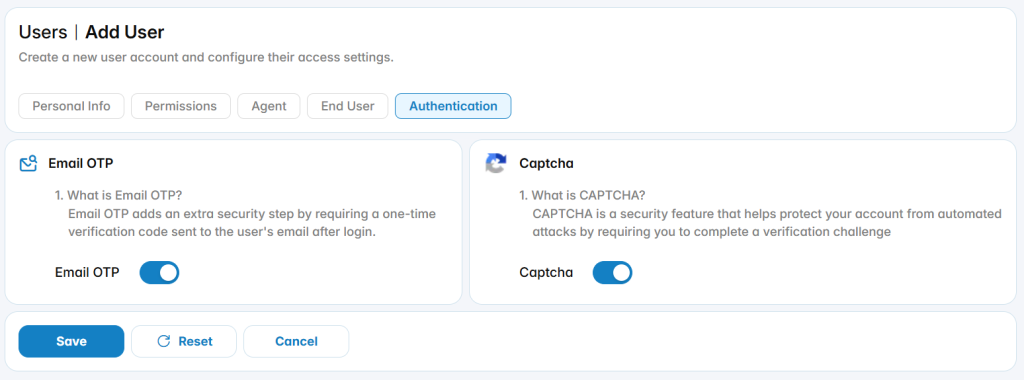
Email OTP
Email OTP: Requires a one-time verification code sent to the user’s email after login.
Captcha
Captcha: Requires a CAPTCHA verification challenge to help protect the account from automated login attempts.