
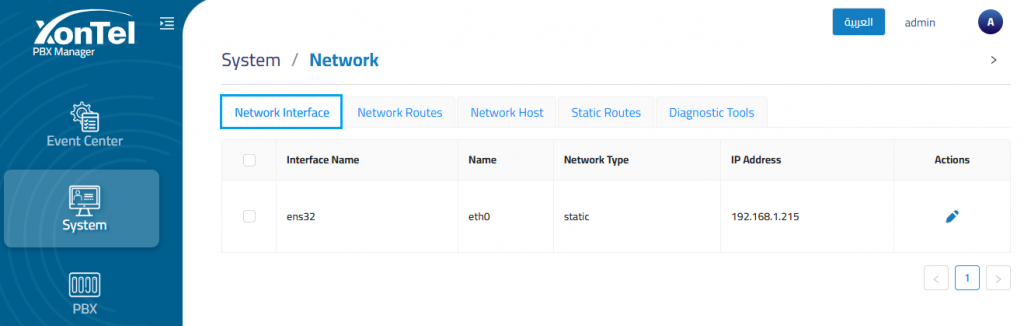
The Network Interface section is used to manage the PBX server network interfaces and review their current IP configuration. It allows administrators to view interface details such as interface name, network type, IP address, and available management actions.
Interface Details
The interface details list displays the available network interfaces configured on the PBX server.
Edit network interface
The Edit Network Interface section is used to update the network configuration of a selected interface. It allows administrators to configure IP assignment, gateway, DNS, subnet, and secondary IP settings depending on the selected assignment mode.
IP Assignment
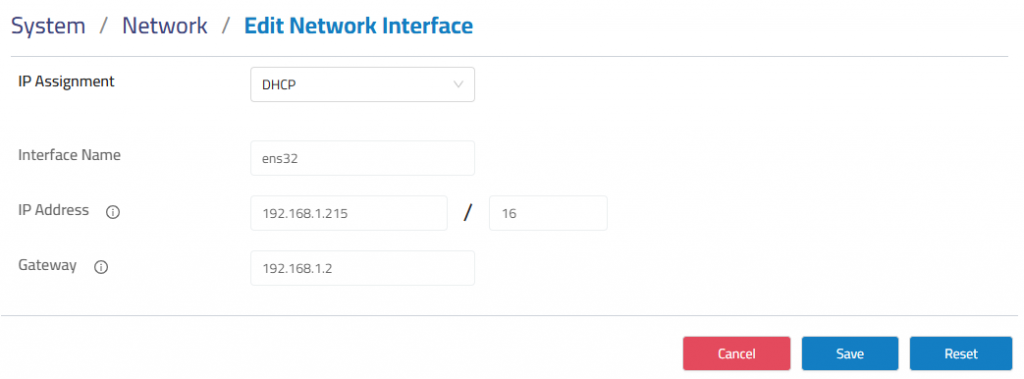
IP Assignment defines how the network interface receives its IP configuration.
- DHCP: The interface receives IP address, gateway, and network settings automatically from a DHCP server.
- Static: The administrator manually defines the IP address, subnet, gateway, DNS, and optional secondary IP address.
DHCP Configuration
When DHCP is selected, the interface network settings are assigned automatically. The displayed IP address, subnet, and gateway fields are read-only because they are provided by the DHCP server.
Static Configuration
When Static is selected, administrators can manually define the network settings for the interface.
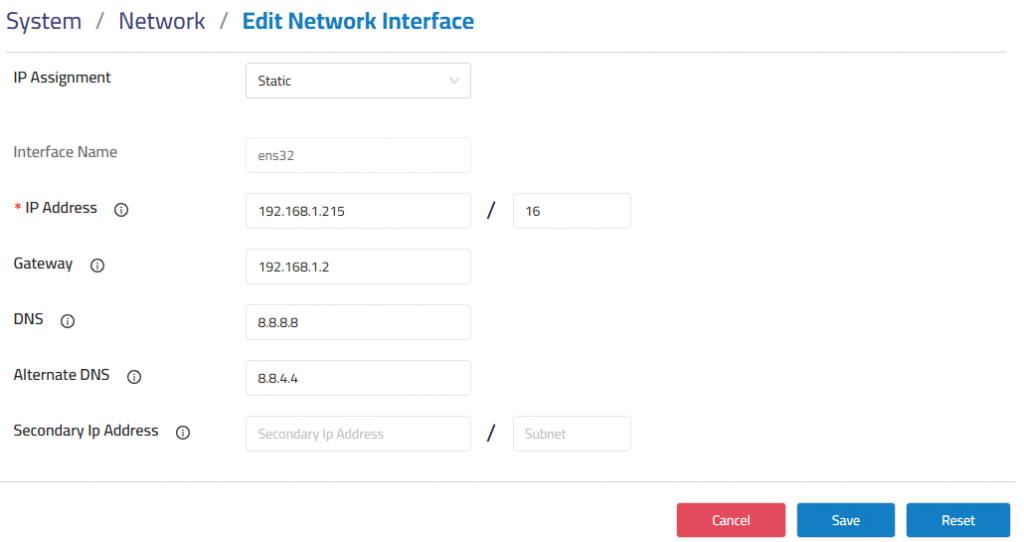
The available fields include:
Interface Name: Displays the selected network interface.
IP Address: Defines the static IP address assigned to the interface.
Subnet: Defines the subnet mask or prefix length used by the interface.
Gateway: Defines the default gateway used for network routing.
DNS: Defines the primary DNS server.
Alternate DNS: Defines an optional secondary DNS server.
Secondary IP Address: Defines an additional IP address assigned to the same interface when required.
Secondary Subnet Mask: Defines the subnet mask for the secondary IP address.