
The Outbox Settings section is used to configure email accounts for sending outgoing messages within the Call Center system. It allows administrators to define SMTP connection details, security settings, account status, and the email teams that are allowed to use the outbox.
This section helps administrators manage outbound email delivery and control which teams can send messages through each configured email account.
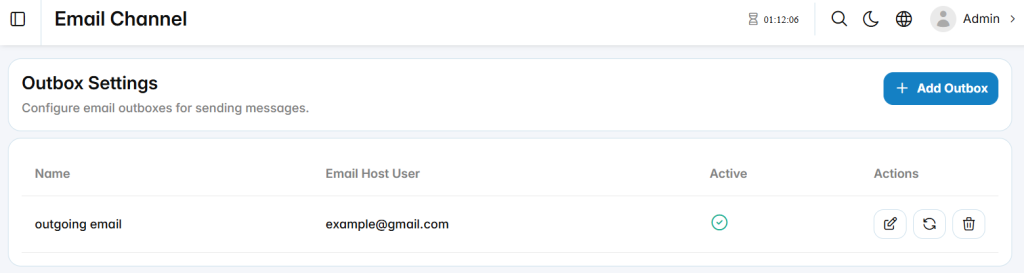
Add Outbox
The Add Outbox section is used to configure a new email account for sending outgoing messages.
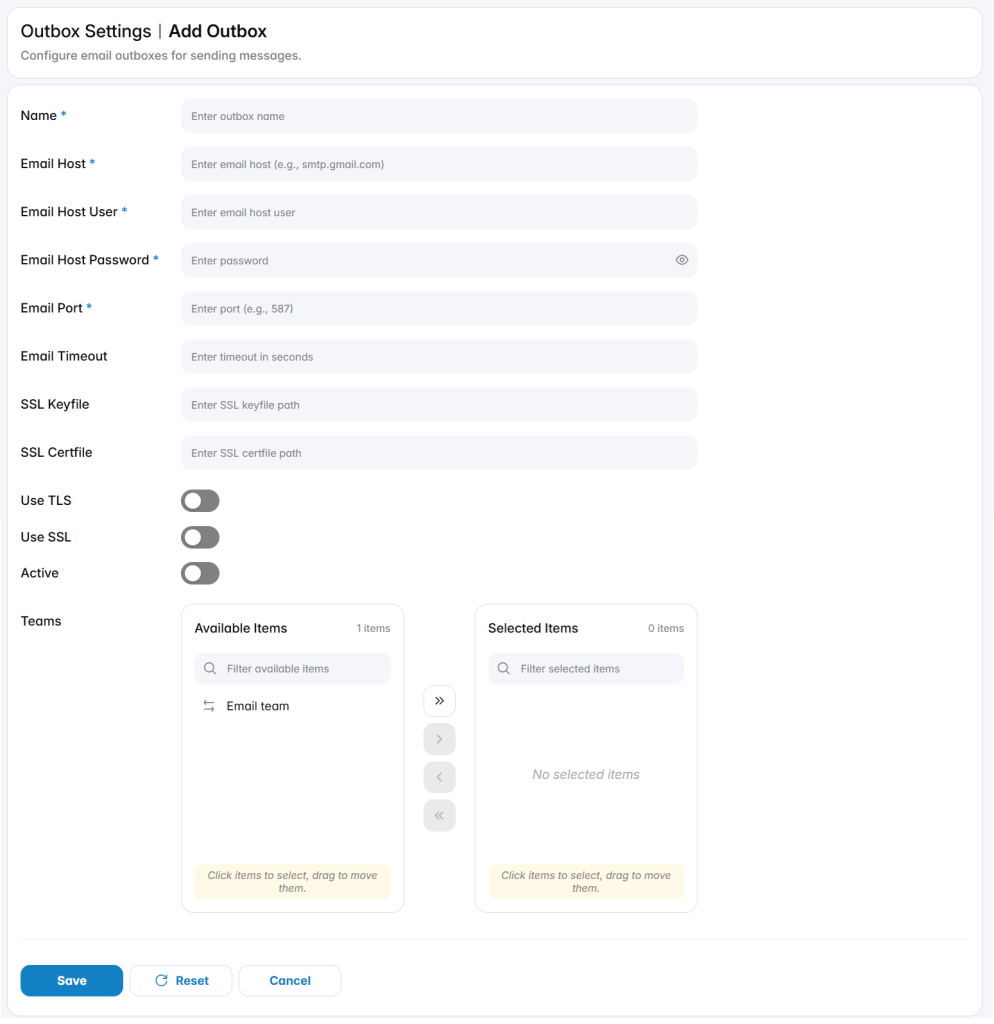
Name: Defines the name used to identify the outbox.
Email Host: Defines the SMTP server address used to send outgoing email messages.
Email Host User: Defines the email account username used for SMTP authentication.
Email Host Password: Defines the password used to authenticate with the email server.
Email Port: Defines the network port used for the SMTP connection.
Email Timeout: Defines the maximum time, in seconds, allowed for the email server connection.
SSL Keyfile: Defines the path to the SSL private key file when required.
SSL Certfile: Defines the path to the SSL certificate file when required.
Use TLS: Enables or disables TLS encryption for the email connection.
Use SSL: Enables or disables SSL encryption for the email connection.
Active: Enables or disables the outbox for outgoing email delivery.
Team Assignment
The Teams area defines which email teams are allowed to use the outbox.