
The Auto Dialer section is used to configure and manage automated outbound dialing within the Call Center system. It allows administrators and supervisors to upload contact number lists, assign dialing teams, define dialing schedules, control retry behavior, and configure agent availability rules.
This section helps administrators and supervisors automate outbound calling, distribute connected calls to available agents, and manage dialing campaigns efficiently.
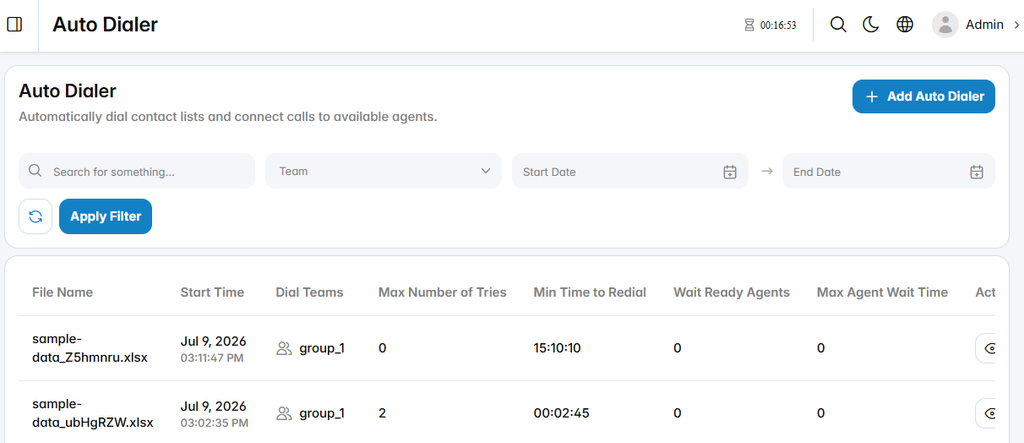
Add Auto Dialer
The Add Auto Dialer section is used to create a new automated dialing configuration.
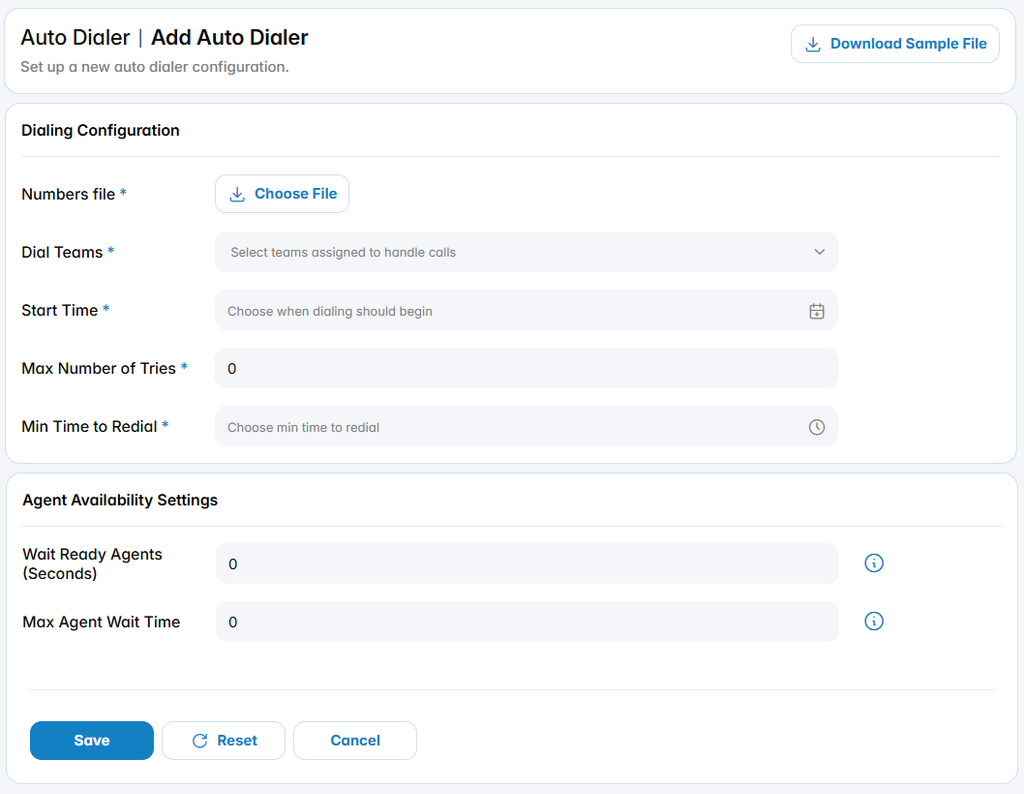
Dialing Configuration
Numbers File: Uploads the file containing the phone numbers to be dialed.
Dial Teams: Specifies the team responsible for handling calls connected by the Auto Dialer.
Start Time: Defines the date and time when automated dialing should begin.
Max Number of Tries: Defines the maximum number of dialing attempts allowed for each number.
Min Time to Redial: Defines the minimum interval before an unsuccessful number can be dialed again.
Download Sample File: Downloads a sample file that can be used as a reference for preparing the numbers file.
Agent Availability Settings
The agent availability settings define how the Auto Dialer behaves when waiting for agents to become available.
Wait Ready Agents (Seconds): Defines how long the system waits for a ready agent before continuing with the dialing process.
Max Agent Wait Time: Defines the maximum number of retries the system performs when no agent is available to handle the call.