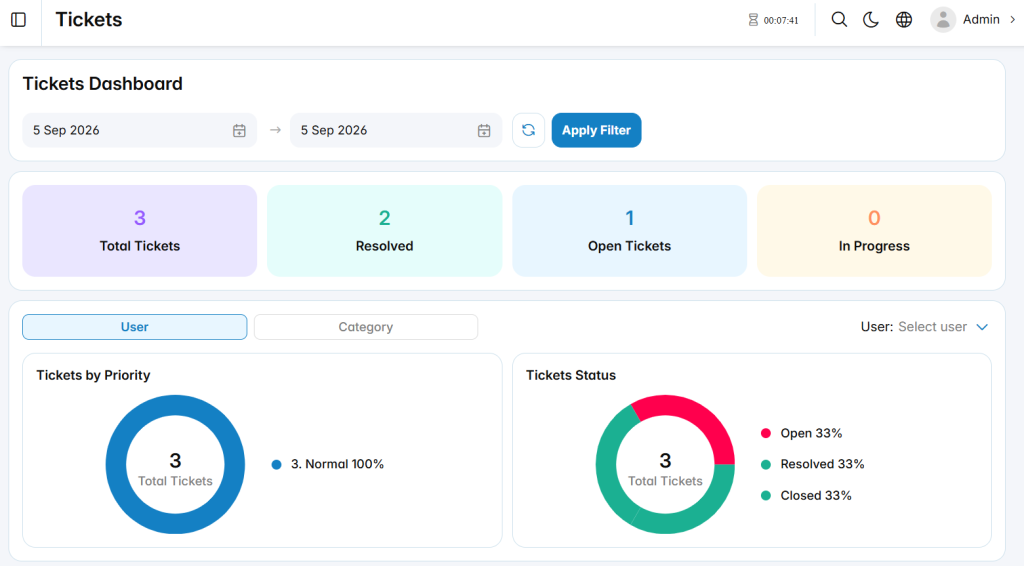
The Tickets Dashboard section provides administrators and supervisors with a centralized overview of ticket activity within the Call Center system. It summarizes ticket volume, status distribution, priority levels, open-ticket aging, user performance, and personal ticket activity.
This section helps administrators and supervisors monitor ticket workloads, review progress, identify pending cases, and evaluate ticket handling performance.
Open Tickets
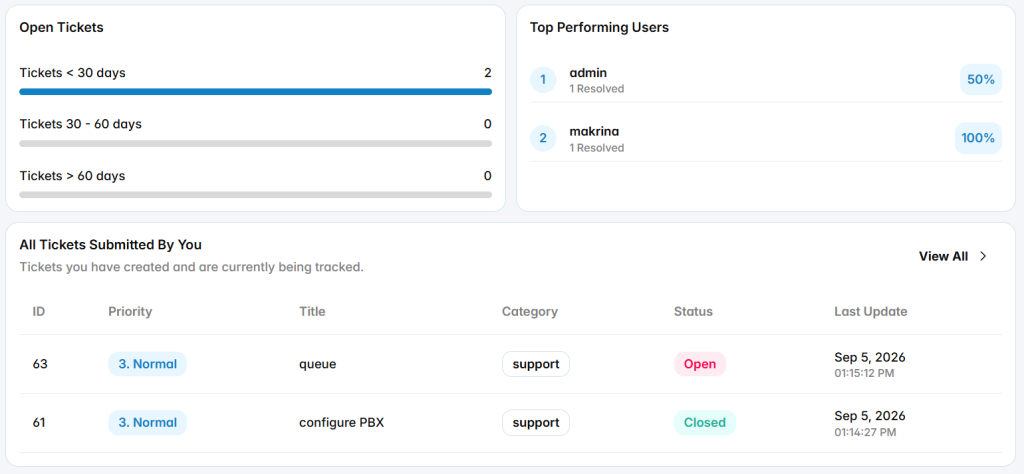
The Open Tickets section groups open tickets according to how long they have remained open.
Tickets < 30 Days: Displays open tickets that are less than 30 days old.
Tickets 30 – 60 Days: Displays open tickets that have remained open between 30 and 60 days.
Tickets > 60 Days: Displays open tickets that have remained open for more than 60 days.
This information helps administrators and supervisors identify aging tickets that may require additional attention.
Top Performing Users
The Top Performing Users section displays users based on their ticket resolution activity.
It shows the number of resolved tickets associated with each user together with a performance percentage.
This section helps administrators and supervisors compare ticket resolution activity across users.
All Tickets Submitted By You
The All Tickets Submitted By You section displays tickets created by the currently logged-in user.
Open Tickets Assigned To You
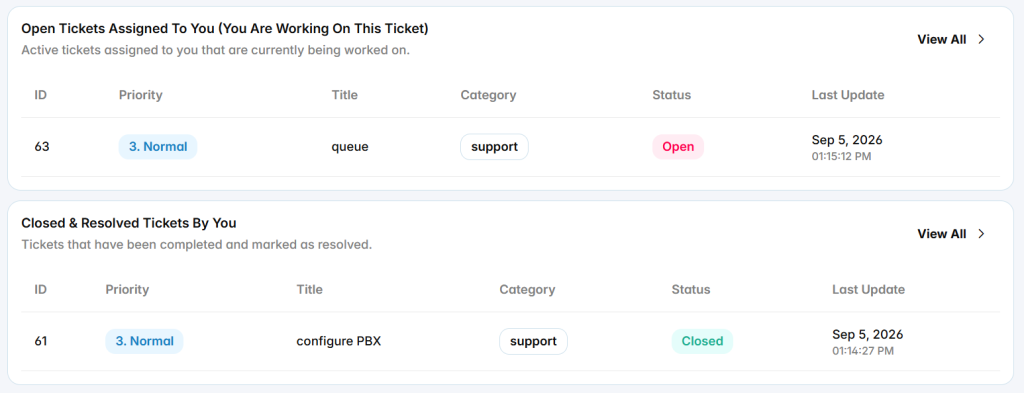
The Open Tickets Assigned To You section displays active tickets assigned to the currently logged-in user and requiring ongoing work.
Closed & Resolved Tickets By You
The Closed & Resolved Tickets By You section displays tickets completed by the currently logged-in user.