
The Custom Widgets section allows administrators or supervisors to create and manage custom dashboard widgets based on SQL queries.
Custom widgets can be used to display specific call center metrics directly on the dashboard, such as missed calls, queue activity, completed calls, or other values retrieved from the system database.
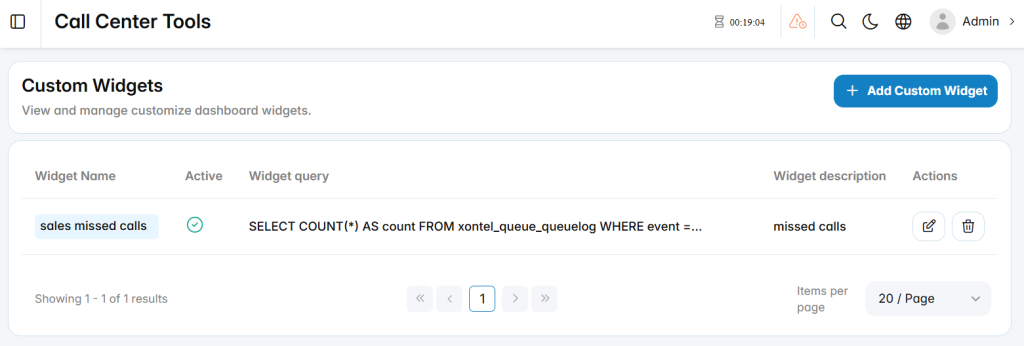
Add Custom Widget
The Add Custom Widget section is used to create a new custom widget for call center dashboard.
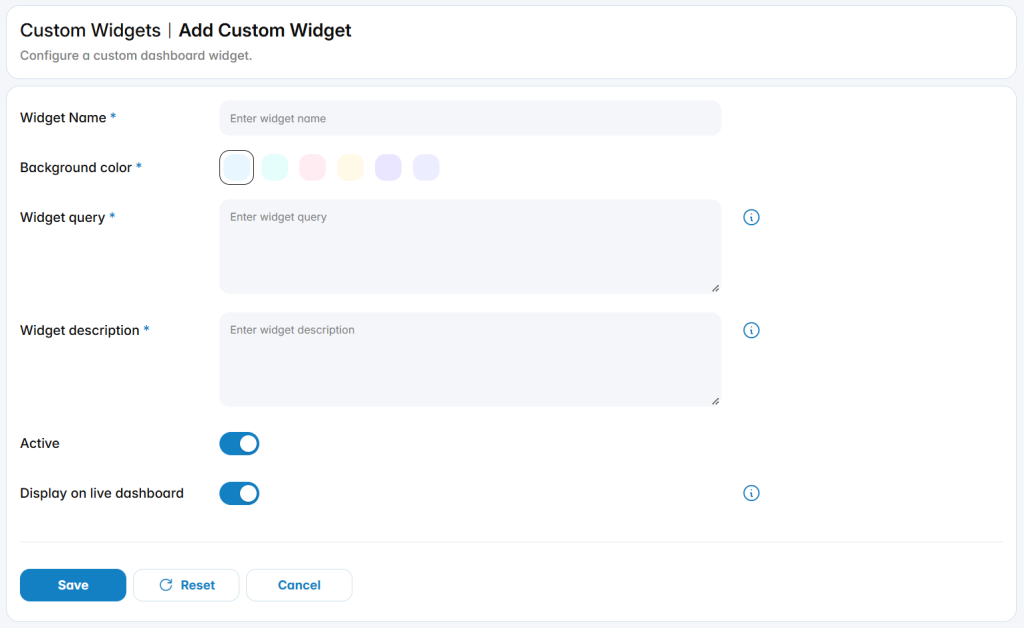
Widget Name: Displays the configured widget name.
Widget Query: Displays the query used to retrieve the widget data.
Widget Description: Displays the configured description.
Active: Indicates whether the widget is currently enabled.
Display on Live Dashboard controls whether the widget is displayed on the Live Dashboard. When disabled, the widget remains available in the Widgets tab but is not displayed on the Live Dashboard.
Widgets Tab
The Widgets section is used to view and manage dashboard widgets that provide quick access to specific Call Center information. It allows administrators to display selected metrics and operational data in a simple, customizable format.
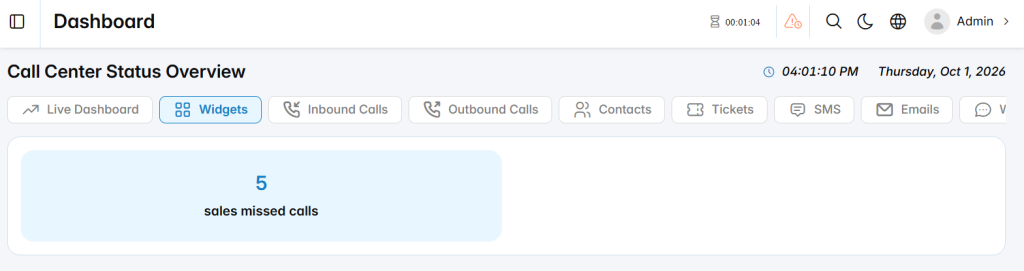
The available widgets can be displayed on the Live Dashboard when the Display on Live Dashboard option is enabled. Widgets with this option disabled remain available in the Widgets section without appearing on the Live Dashboard.