
The Block Settings section is used to configure notification rules for the Web Chat channel when customers use blocked words during chat conversations. It allows administrators to specify users and email addresses that should be notified whenever a blocked word is detected, enabling them to review the conversation and take the necessary action.
This feature helps supervisors and administrators monitor inappropriate or restricted content usage and ensures quick response to potential policy violations within Web Chat interactions.
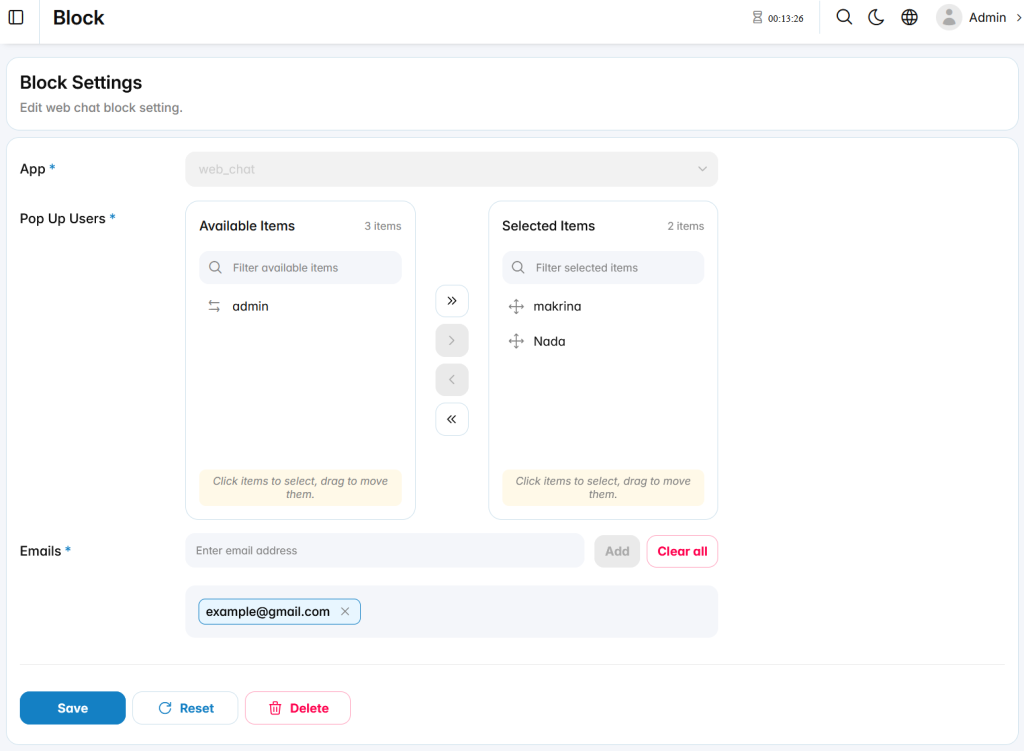
Block Settings
App: Displays the application where the blocking notification rule is applied. In this case, the setting is configured for the Web Chat application.
Pop Up Users: Defines the internal users who will receive notifications when a customer sends a blocked word through Web Chat.
Emails: Specifies email addresses that will receive notifications when blocked words are detected, allowing responsible teams to review and handle the situation.