
The Web Chat Logs section is used to review completed web chat conversations and interaction history within the Call Center system. Each agent can view the history of conversations handled by that agent, including the client information, chat session period, and saved conversation file, while administrators and supervisors can review broader chat history according to their assigned access permissions.
This section helps maintain a clear record of web chat interactions for monitoring, follow-up, and service quality review.
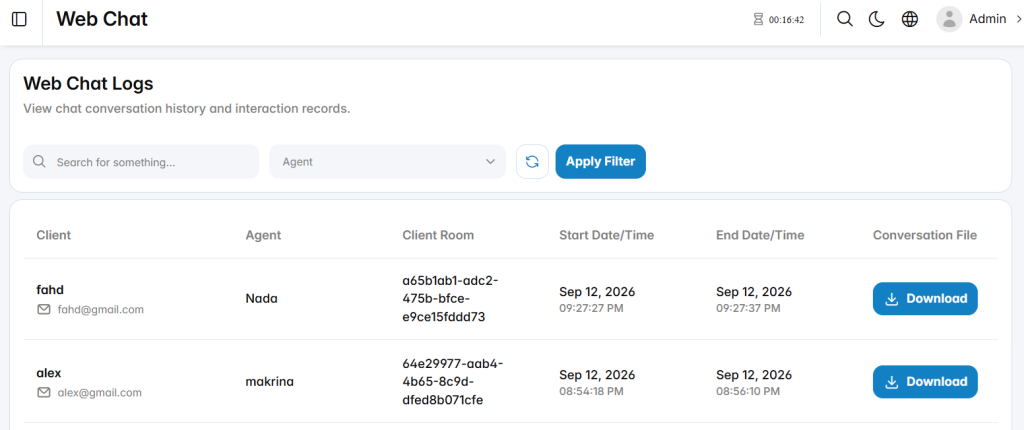
Web Chat Log List
The web chat log list displays completed chat sessions and their key details.
Client: Displays the client name and email address.
Agent: Displays the agent who handled the chat conversation.
Client Room: Displays the unique identifier assigned to the web chat session.
Start Date/Time: Displays the date and time when the conversation started.
End Date/Time: Displays the date and time when the conversation ended.
Conversation File: Provides the option to download the saved conversation record.