
The Inbound Calls Dashboard provides detailed insights into incoming call performance and queue activity. It enables supervisors and administrators to monitor inbound call statistics, analyze service levels, and evaluate queue efficiency through real-time and filtered reports.
The dashboard allows users to filter incoming call data by date range, queue, and agents to review specific call performance metrics.
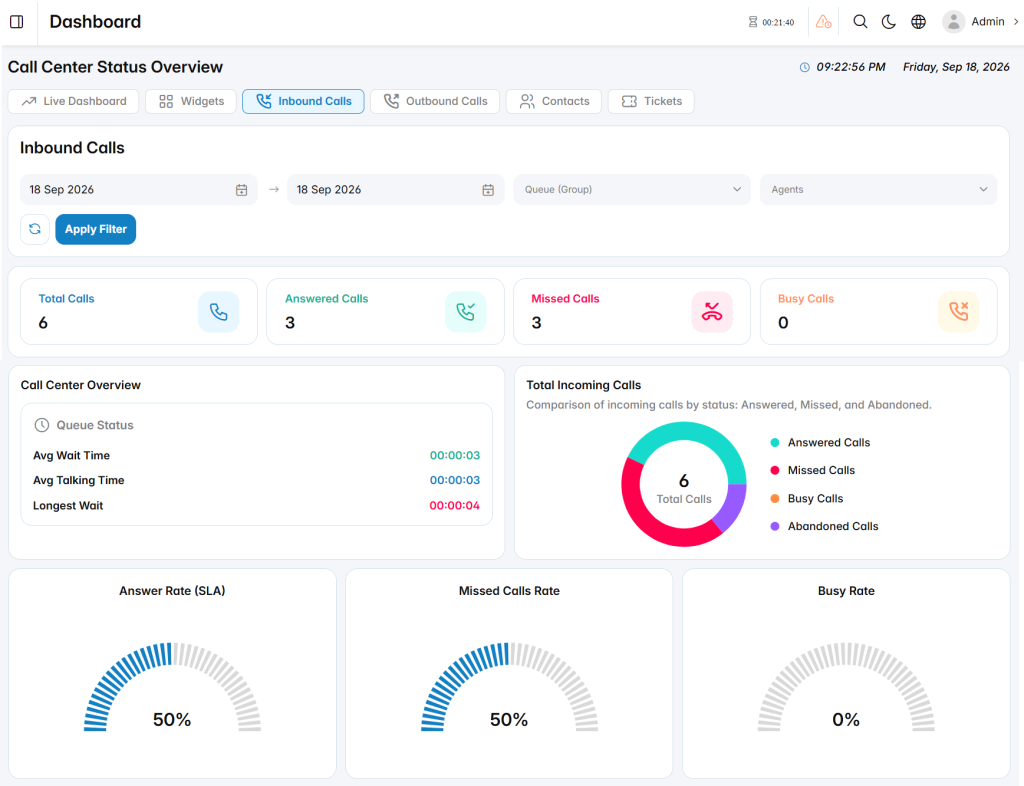
Inbound Call Statistics
The Inbound Calls summary displays key incoming call metrics, including:
- Total Calls: Displays the total number of incoming calls received during the selected period.
- Answered Calls: Shows the number of calls successfully answered by agents.
- Missed Calls: Displays the number of calls that were not answered.
- Busy Calls: Shows calls that could not be completed due to agent busy status.
Queue Status
The Queue Status section provides performance measurements for incoming call queues, including:
- Avg Wait Time: Displays the average time customers wait before their calls are answered.
- Avg Talking Time: Shows the average duration of conversations handled by agents.
- Longest Wait: Displays the longest waiting time recorded for a customer call.
Total Incoming Calls
The Total Incoming Calls chart provides a visual breakdown of call outcomes, showing the distribution between answered, missed, busy, and abandoned calls.
Performance Metrics
The dashboard includes key performance indicators to help evaluate inbound service quality:
- Answer Rate (SLA): Displays the percentage of incoming calls answered according to the configured service level.
- Missed Calls Rate: Shows the percentage of calls that were missed during the selected period.
- Busy Rate: Displays the percentage of calls that encountered busy conditions.