
Trunks are used to connect your PBX to external VoIP systems or devices, enabling outbound and inbound call traffic between networks.
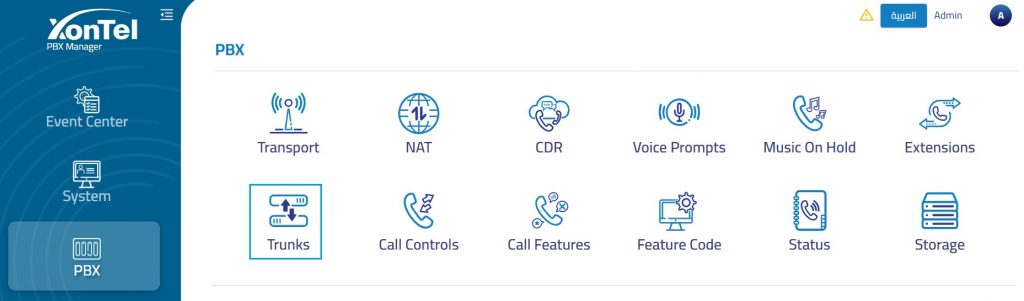
The PBX supports two types of VoIP trunks:
Register Trunk: A registration-based SIP trunk that requires authentication (SIP REGISTER) using a username and password. Typically used when connecting to a VoIP provider or another PBX that mandates user authentication.
Peer Trunk: An IP-based SIP trunk that does not require registration. Instead, it relies on IP address authentication for communication between two VoIP systems, such as between your PBX and a VoIP provider or another PBX.
- Note: The configuration settings vary depending on the selected trunk type.
Register trunk
Basic Information
The Basic Information tab is used to configure the main settings required to create a SIP trunk.
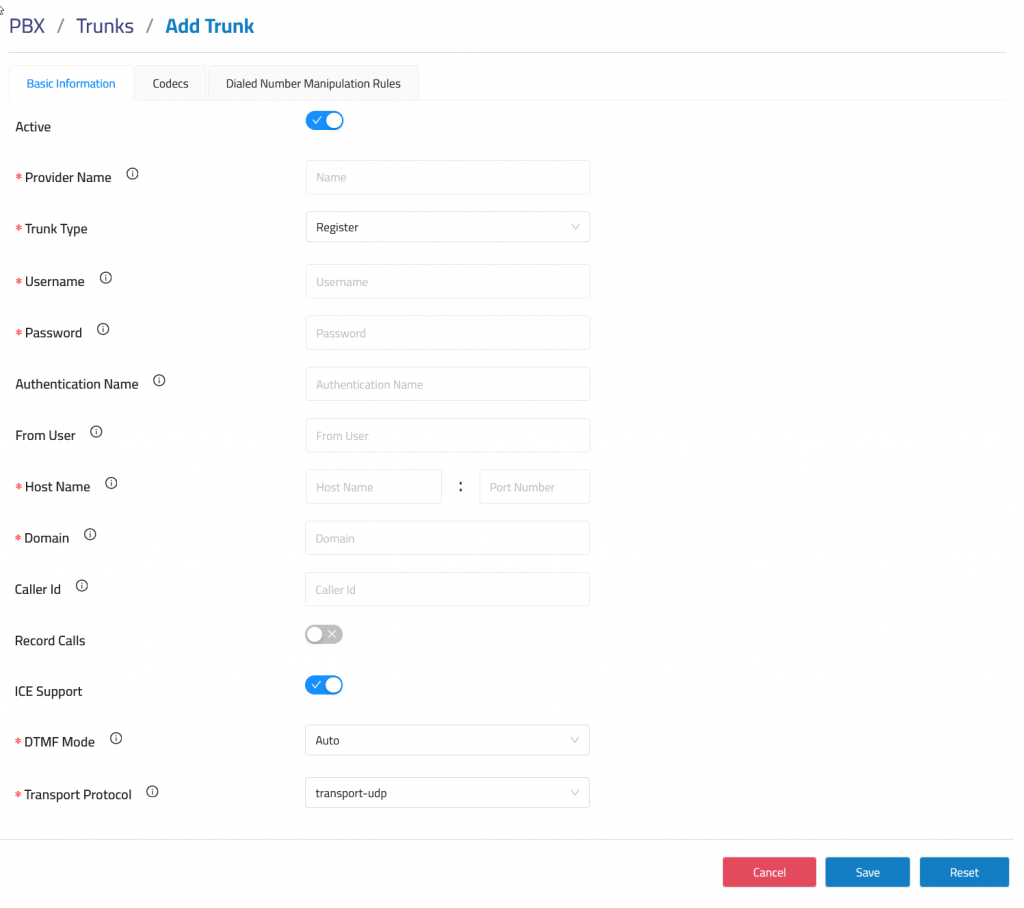
Active: Enable this option to activate the trunk for use in all applicable routes. This setting is enabled by default.
Provider Name: Defines the name used to identify the SIP trunk within the system.
Trunk Type: Specifies the trunk connection method, such as registration-based trunking.
Username: Defines the username provided by the SIP provider for trunk registration.
Password: Defines the password used for SIP authentication.
Authentication Name: Specifies the authentication username when it differs from the main username.
From User: Defines the user value sent in SIP signaling when required by the provider.
Hostname: Specifies the SIP provider server address.
Port Number: Defines the SIP signaling port used to connect to the provider.
Domain: Defines the SIP domain associated with the trunk provider.
Caller ID: Defines the caller ID information used for outbound calls when supported by the provider configuration.
Record Calls: Enables or disables call recording for calls routed through the trunk.
ICE Support: Enables ICE negotiation when required for NAT traversal or WebRTC-related media handling.
DTMF Mode: Defines how DTMF tones are transmitted during calls.
Transport Protocol: Specifies the SIP transport method used by the trunk, such as UDP, TCP or TLS.
Codecs
The Codecs tab is used to configure the media codecs assigned to a SIP trunk.
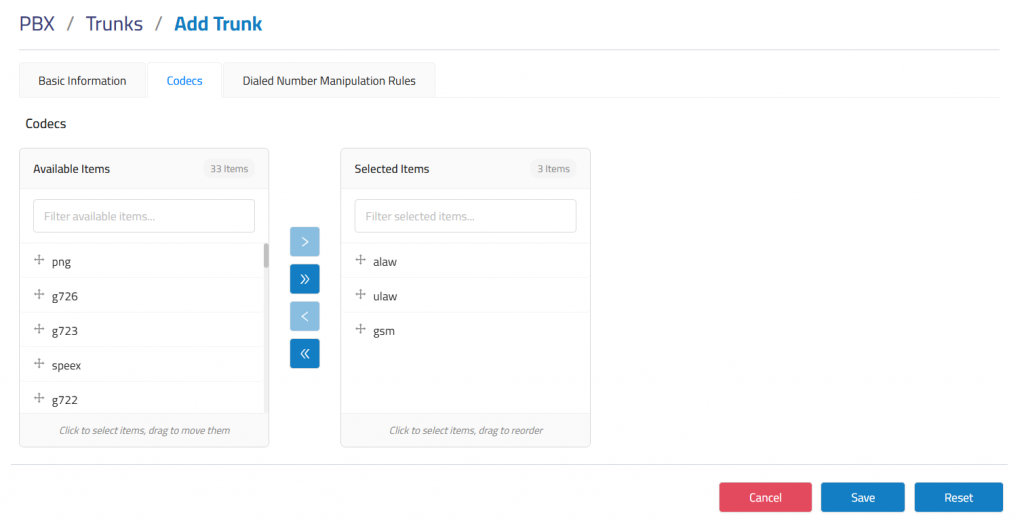
Codec selection determines how voice traffic is encoded and negotiated between the PBX system and the SIP provider during call setup.
Administrators can move codecs between the available and selected lists using the transfer controls. Selected codecs can also be reordered to define the preferred negotiation priority.
Dialed Number Manipulation Rules
The Dialed Number Manipulation Rules tab is used to configure outbound dialing patterns for a SIP trunk.
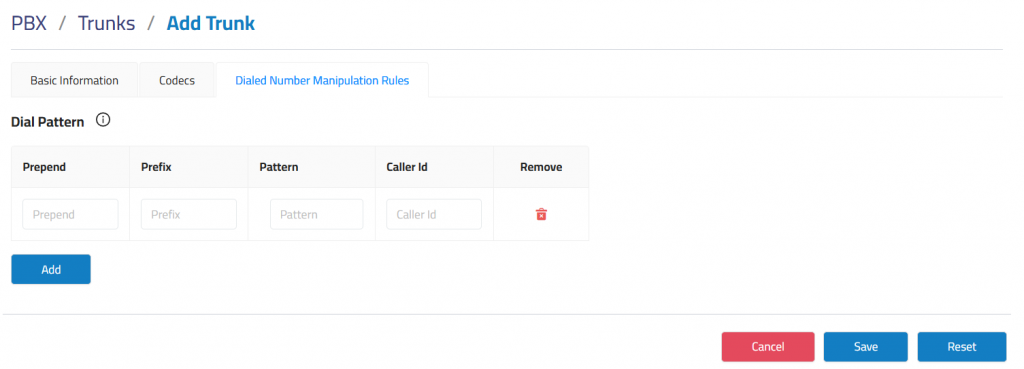
Prepend: Digits added before the number when a match is found.
Prefix: Digits removed from the dialed number when a match is found.
Pattern: The set of rules used to match dialed numbers.
Caller Id: Optional Caller ID number or pattern that must match for the rule to apply.
Peer trunk
Basic Information
The Basic Information tab is used to configure the primary settings required to create a SIP trunk with a peer-based connection.
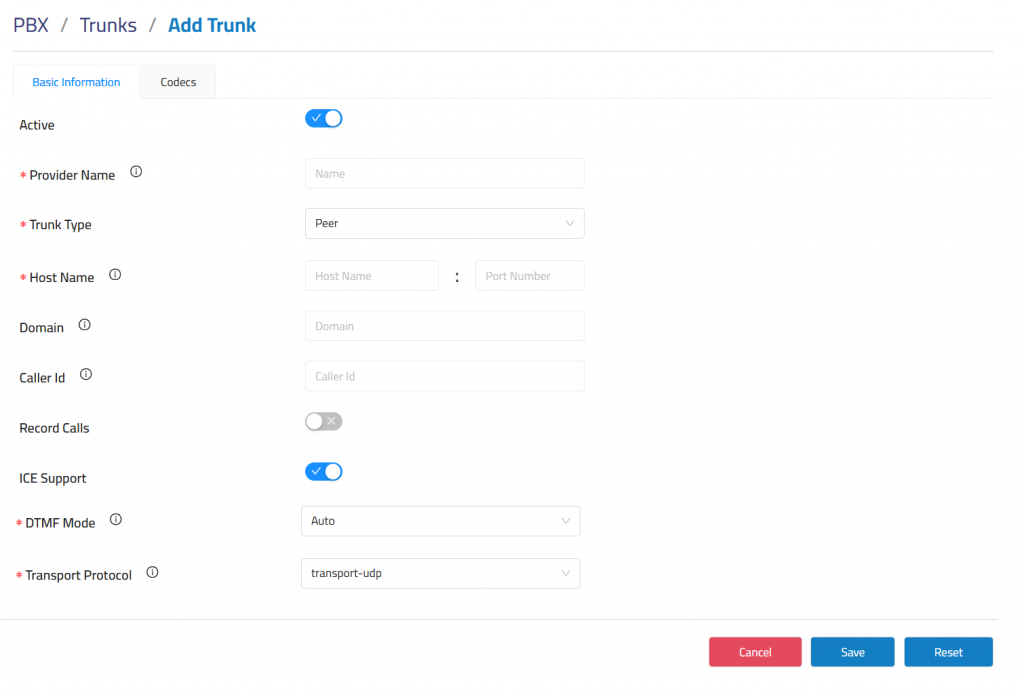
Active: Enable this option to activate the trunk for use in all applicable routes. This setting is enabled by default.
Provider Name: Defines the name used to identify the SIP trunk within the system.
Trunk Type: Specifies the trunk connection method. When set to Peer, the trunk connects directly to a remote SIP endpoint without registration credentials.
Hostname: Specifies the SIP provider or remote peer address.
Port Number: Defines the SIP signaling port used for communication.
Domain: Defines the SIP domain associated with the trunk.
Caller ID: Defines the caller ID information used for outbound calls when supported by the provider or peer configuration.
Record Calls: Enables or disables call recording for calls routed through the trunk.
ICE Support: Enables ICE negotiation when required for NAT traversal or WebRTC-related media handling.
DTMF Mode: Defines how DTMF tones are transmitted during calls, commonly used for IVR navigation and keypad input.
Transport Protocol: Specifies the SIP transport method used by the trunk, such as UDP, TCP or TLS.
Codecs
The Codecs tab is used to configure the media codecs assigned to a SIP trunk.
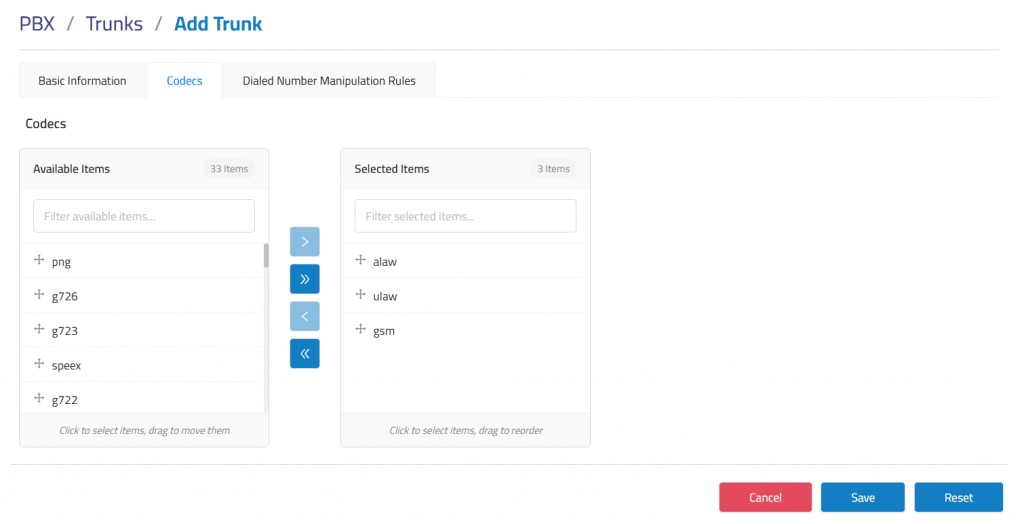
The Codecs tab allows you to manage which audio formats your PBX uses during SIP trunk calls. These codecs define how voice data is compressed and transmitted over the network.
Dialed Number Manipulation Rules
The Dialed Number Manipulation Rules tab is used to configure outbound dialing patterns for a SIP trunk.
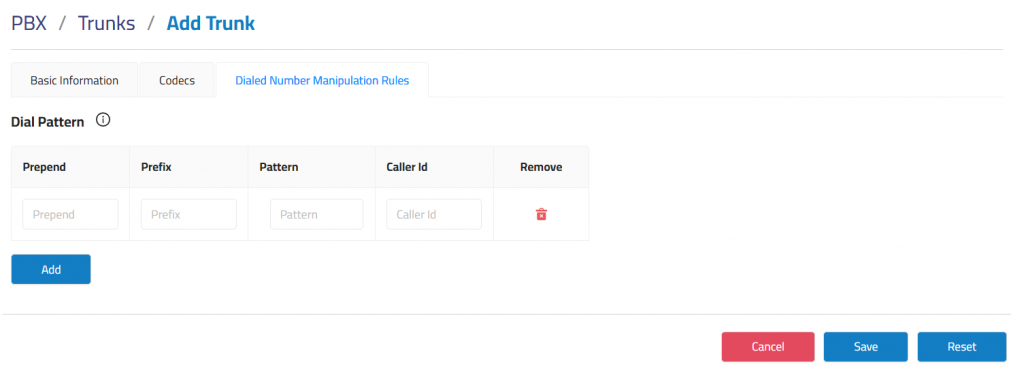
Prepend: Digits added before the number when a match is found.
Prefix: Digits removed from the dialed number when a match is found.
Pattern: The set of rules used to match dialed numbers.
Caller Id: Optional Caller ID number or pattern that must match for the rule to apply.