
The Queue List section is used to manage call queues within the PBX system. Queues help distribute incoming calls to assigned agents or extensions based on the selected strategy, allowing calls to wait until an available agent can answer.
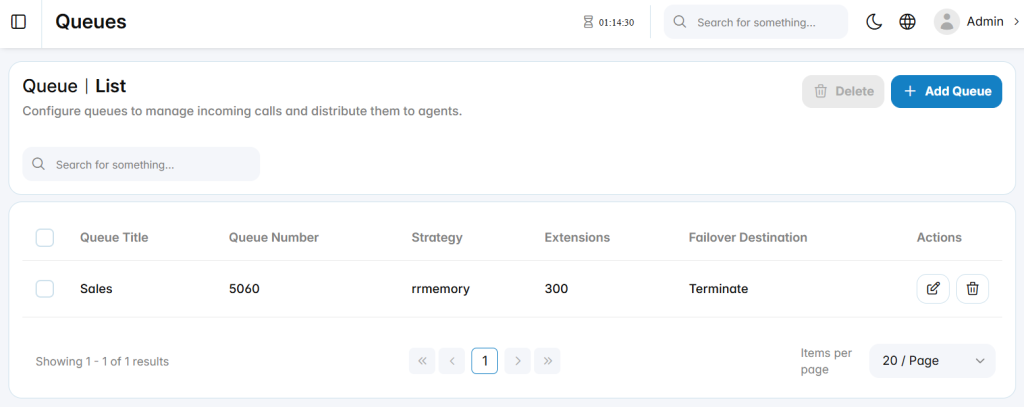
Add Queue
The Add Queue section is used to create a new call queue and define how incoming calls are distributed to assigned members.
Basic
The Basic tab defines the primary queue configuration, including queue identity, agent behavior, call distribution, and member assignment.
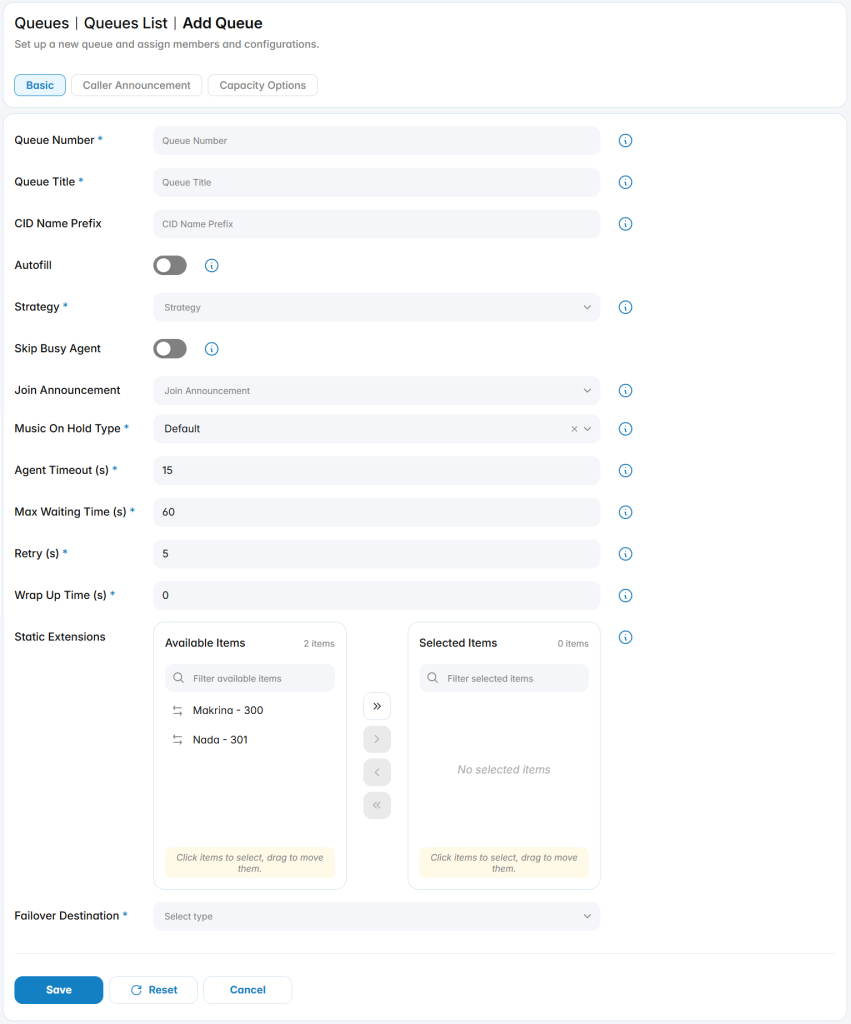
Queue Number: Defines the number used to access or route calls to the queue.
Queue Title: Defines the name used to identify the queue.
CID Name Prefix: Adds a prefix to the caller ID name for calls delivered from the queue.
Autofill: Allows the queue to distribute multiple waiting calls to available agents when supported.
Strategy: Defines how calls are distributed to queue members.
Skip Busy Agent: Prevents calls from being sent to agents who are currently busy.
Join Announcement: Selects an announcement played to callers when they enter the queue.
Music On Hold Type: Defines the hold audio played while callers wait in the queue.
- Default: Plays the default music on hold for this queue.
- MOH Only: Plays the selected music on hold playlist for this queue.
- Ringing Only: Plays a ringing tone instead of music on hold while the caller waits.
- Agent Ringing: Play MoH until an agent’s phone is presented with the call and is ringing.
Agent Timeout (s): Defines how long an agent rings before the call is offered to another agent or retried.
Max Waiting Time (s): Defines the maximum time a caller can remain waiting in the queue.
Retry (s): Defines the delay before retrying available agents.
Wrap Up Time (s): Defines the time reserved after a completed call before the agent receives another queue call.
Static Extensions: Defines the extensions assigned as queue members.
Failover Destination: Defines where calls are routed if the queue is not answered or the waiting limit is reached.
Caller Announcement
The Caller Announcement tab is used to configure periodic announcements played to callers while they are waiting in the queue.
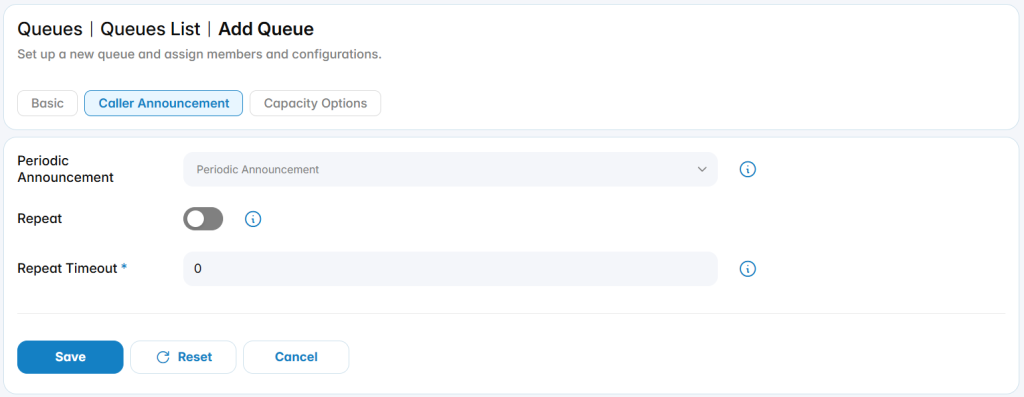
Periodic Announcement: Selects the announcement played to callers during the waiting period.
Repeat: Enables or disables repeated playback of the periodic announcement.
Repeat Timeout: Defines the interval between repeated announcements.
Capacity Options
The Capacity Options tab is used to control queue capacity and caller entry behavior.
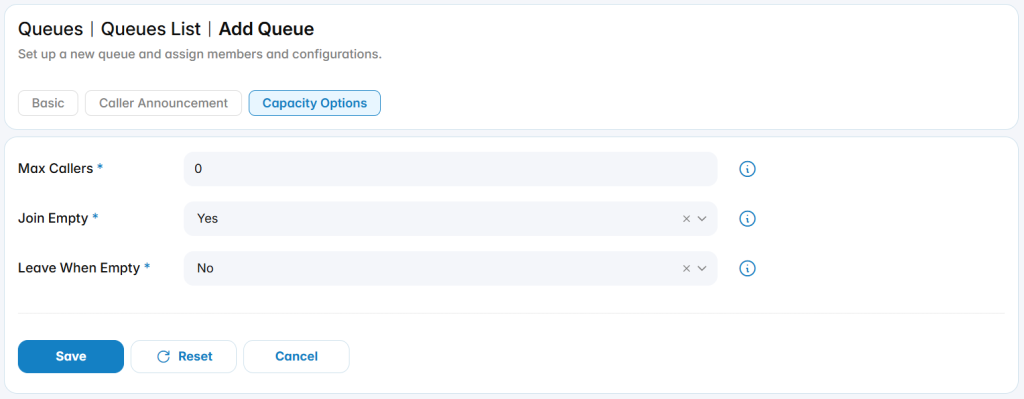
Max Callers: Defines the maximum number of callers allowed to wait in the queue.Set to “0” for unlimited callers.
Join Empty: Controls whether callers are allowed to join the queue when no agents are available.
Leave When Empty: Controls whether callers should be removed from the queue when no agents are available.