
The Contact Groups section is used to organize contacts into defined groups within the Call Center system. It allows users to create, search, import, export, and maintain contact groups from the management interface.
This section helps administrators organize contacts by department, purpose, campaign, or other operational requirements.
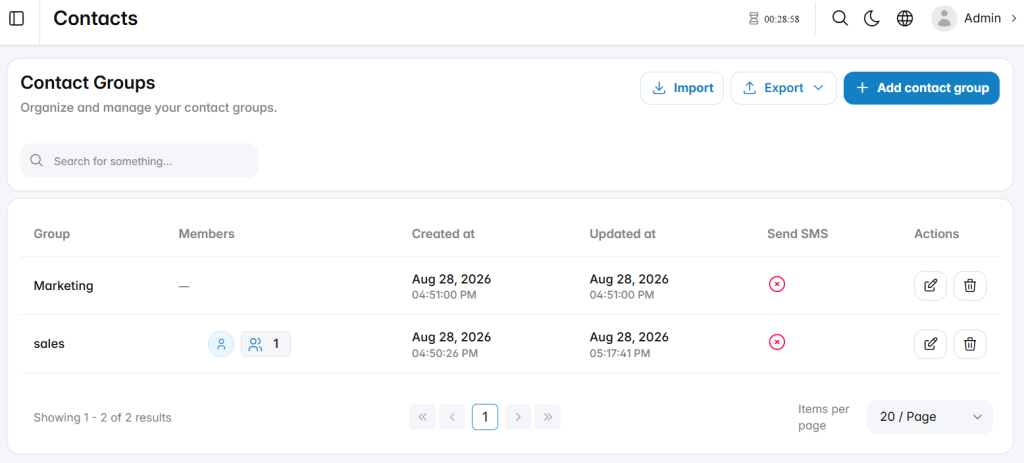
Add Contact Group
The Add Contact Group section is used to create a new contact group.
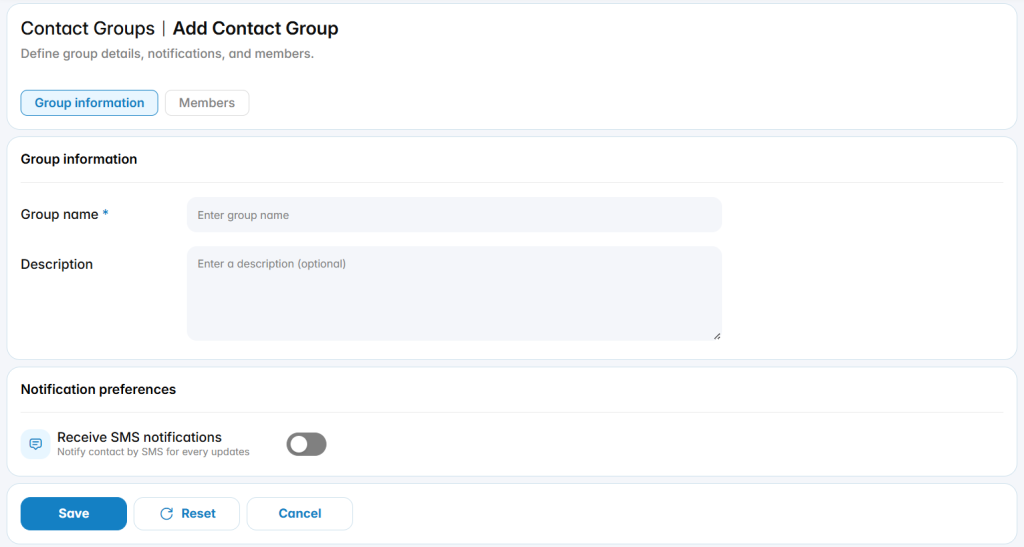
Group Information
The Group Information tab contains the primary settings used to define the contact group.
Group Name: Defines the name assigned to the contact group.
Description: Defines optional information describing the purpose or usage of the group.
Notification Preferences
The notification settings define whether contacts within the group can receive SMS updates.
Receive SMS Notifications: Enables or disables SMS notifications for contacts associated with the group.
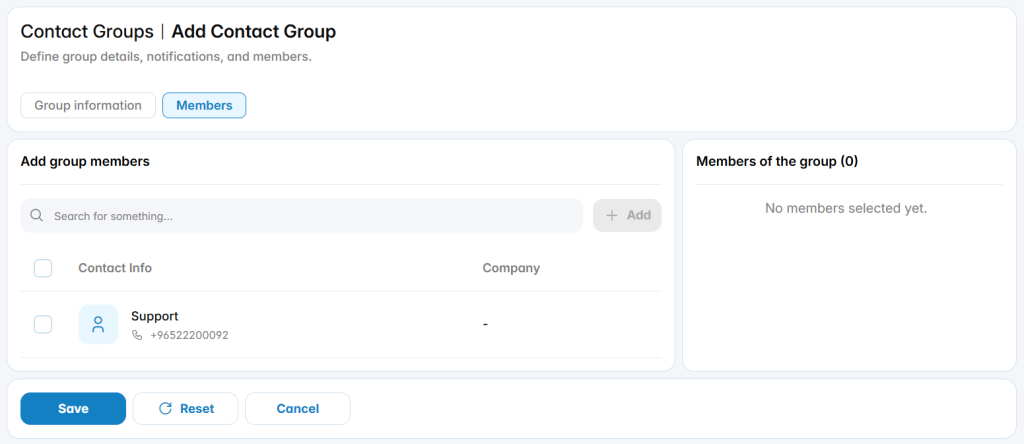
Members
The Members tab is used to assign contacts to the contact group.