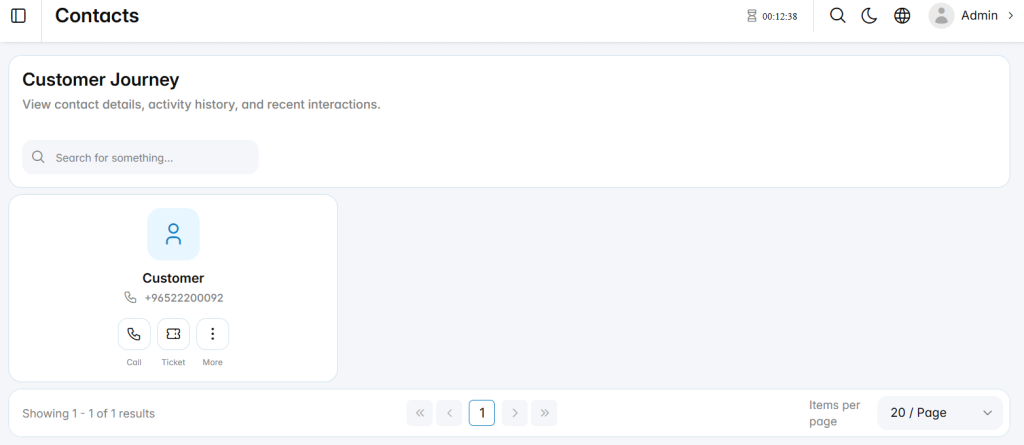
The Customer Journey section is used to review a contact’s interaction history within the Call Center system. It allows users to view contact details, recent activities, and communication records from a centralized interface.
This section helps administrators understand how each contact has interacted with the Call Center across calls, tickets, and other supported communication channels.
Last Activity
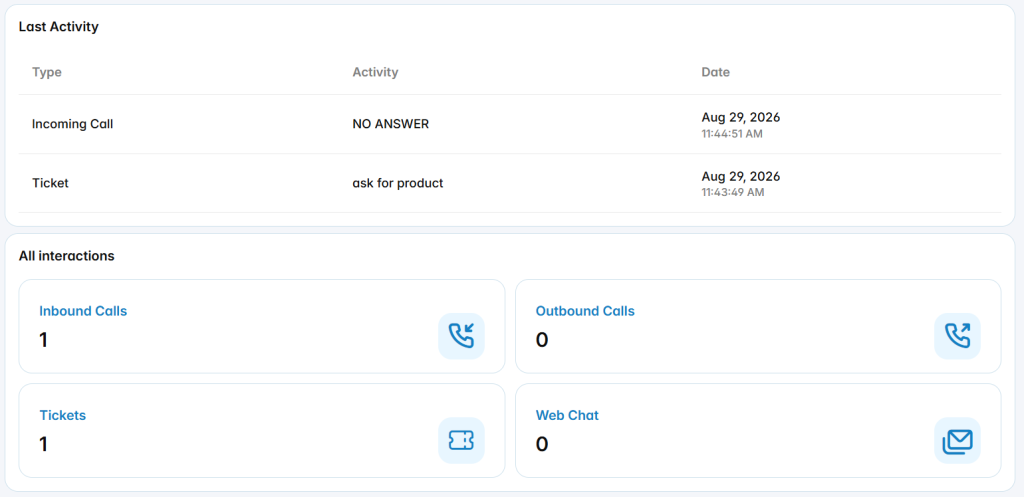
The Last Activity section displays the most recent interactions associated with the selected contact.
The list includes the following information:
Type: Displays the type of interaction, such as an incoming call or ticket.
Activity: Displays the result, status, or description of the interaction.
Date: Displays the date and time when the activity occurred.
All Interactions
The All Interactions section provides a summary of the contact’s communication activity across supported channels.
Inbound Calls: Displays the total number of inbound calls associated with the contact.
Outbound Calls: Displays the total number of outbound calls associated with the contact.
Tickets: Displays the total number of tickets associated with the contact.
Web Chat: Displays the total number of web chat interactions associated with the contact.