
The Ticket Categories section is used to create and manage categories that organize tickets within the Call Center system. It allows administrators and supervisors to define category information, notification settings, reminder behavior, default ownership, and related communication options.
This section helps administrators and supervisors classify tickets consistently and apply category-specific workflow and notification settings.
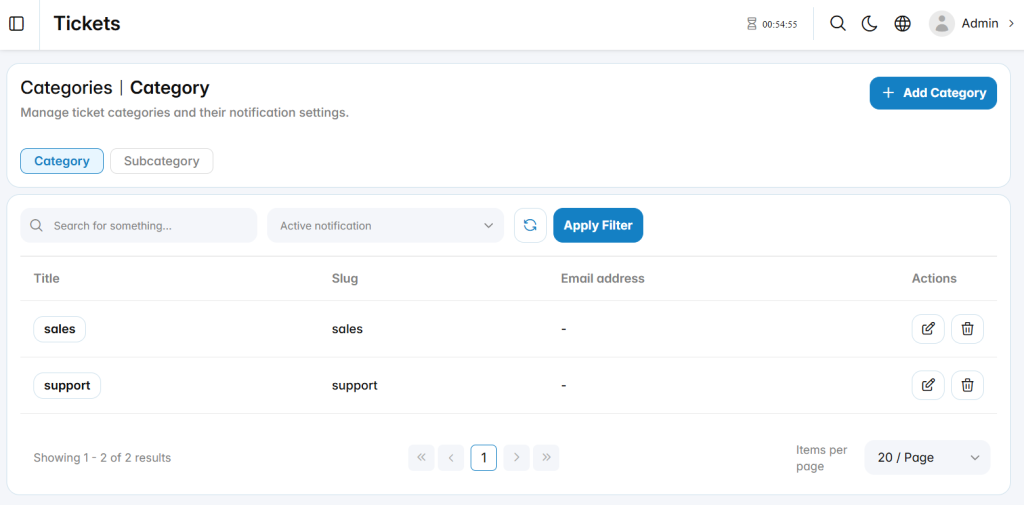
Add Category
The Add Category section is used to create a new ticket category and define its workflow-related settings.
Category Info
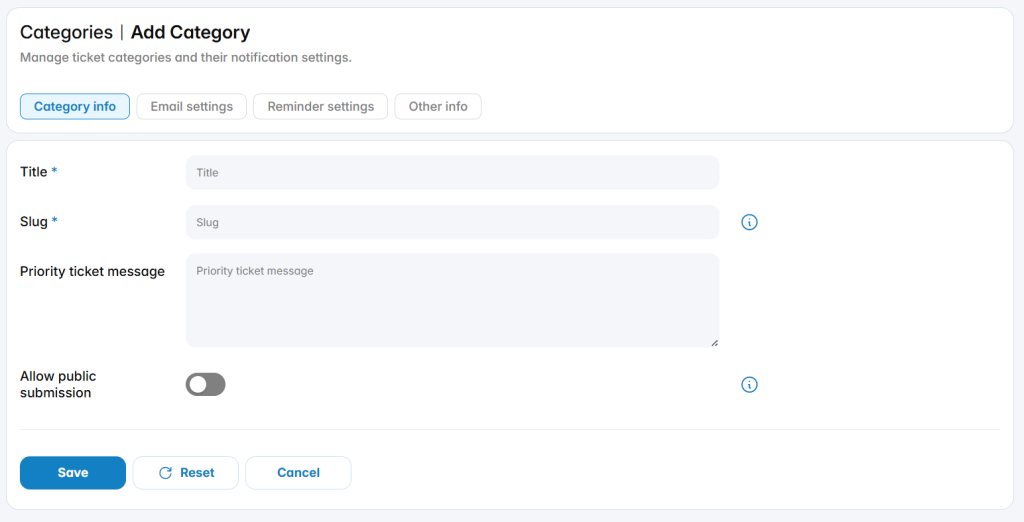
Title: Defines the name of the ticket category.
Slug: Defines the internal identifier used for the category.
Priority Ticket Message: Defines a message associated with priority tickets in this category.
Allow Public Submission: Enables or disables public ticket submission for the category.
Email Settings
The Email Settings tab defines email-related behavior for tickets created or updated under the category.
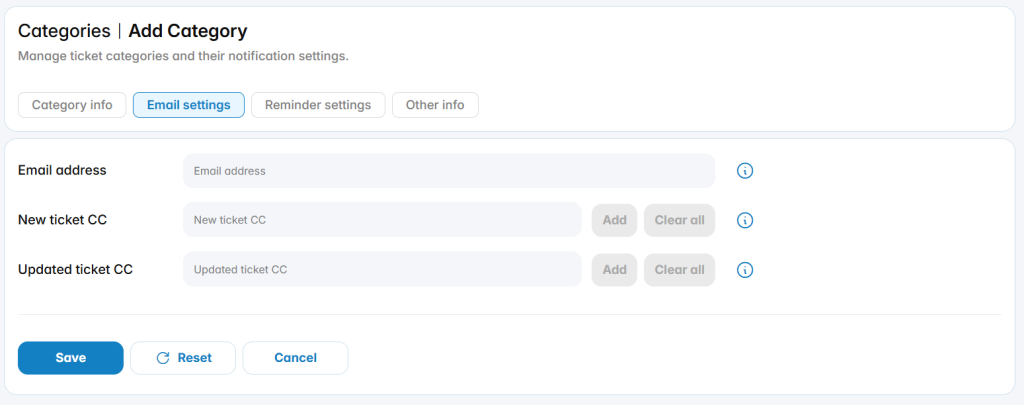
Email Address: Defines the email address associated with the category.
New Ticket CC: Defines email addresses that should receive copies when a new ticket is created.
Updated Ticket CC: Defines email addresses that should receive copies when a ticket is updated.
Reminder Settings
The Reminder Settings tab defines automatic reminder behavior for tickets in the category.
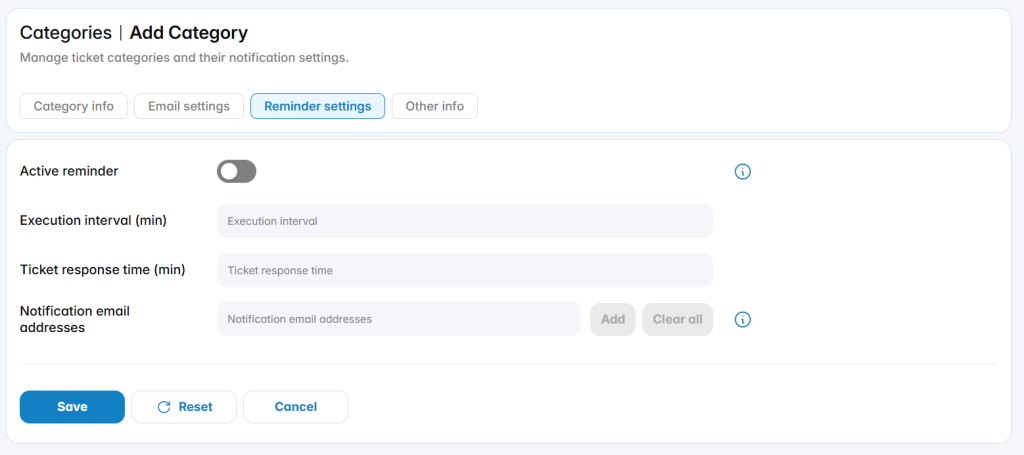
Active Reminder: Enables or disables reminder processing.
Execution Interval (min): Defines how frequently the reminder process is executed.
Ticket Response Time (min): Defines the expected response time used by the reminder configuration.
Notification Email Addresses: Defines the email addresses that receive reminder notifications.
Other Info
The Other Info tab defines additional ticket category settings.
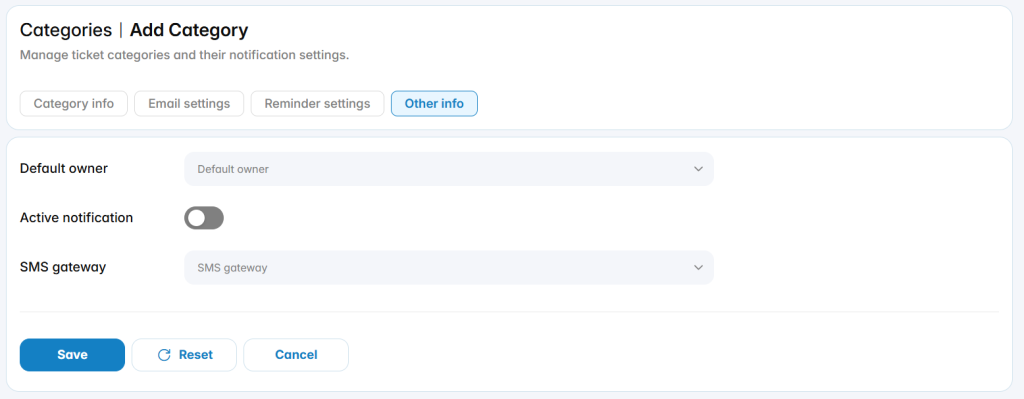
Default Owner: Specifies the default user responsible for tickets created under the category.
Active Notification: Enables or disables category notifications.
SMS Gateway: Specifies the SMS gateway used for category-related SMS notifications.