
The Reminder Settings section is used to configure automated email reminders for tickets based on their category, status, and reminder interval. It allows users to define when reminder notifications should be sent and which recipients should receive them.
This section helps users monitor pending ticket activity and ensure that tickets requiring follow-up are not overlooked.
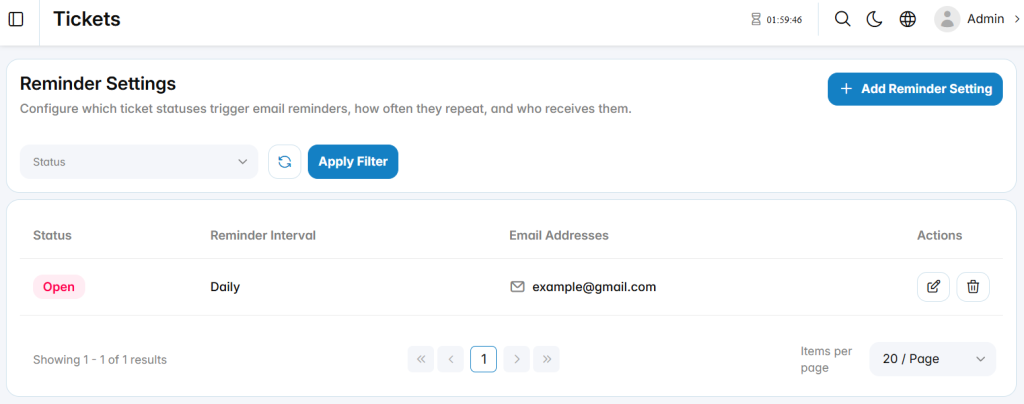
Add Reminder Setting
The Add Reminder Setting section is used to create a new automated ticket reminder.
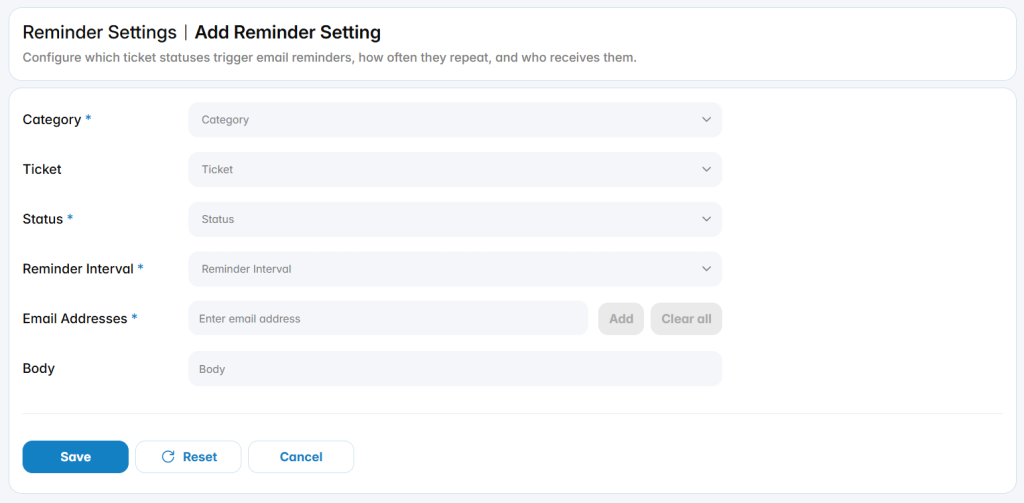
Category: Specifies the ticket category associated with the reminder.
Ticket: Specifies a particular ticket when the reminder should apply to a specific record.
Status: Defines the ticket status that triggers the reminder.
Reminder Interval: Defines how often the reminder notification is sent.
Email Addresses: Defines one or more email addresses that receive the reminder.
Body: Defines the message included in the reminder email.