
The SMS Messages section is used to review and manage outgoing SMS messages within the Call Center system. It allows users to send SMS messages, monitor delivery status, and review message activity from a centralized management interface.
This section helps users maintain direct communication with contacts and track SMS delivery through the configured provider.
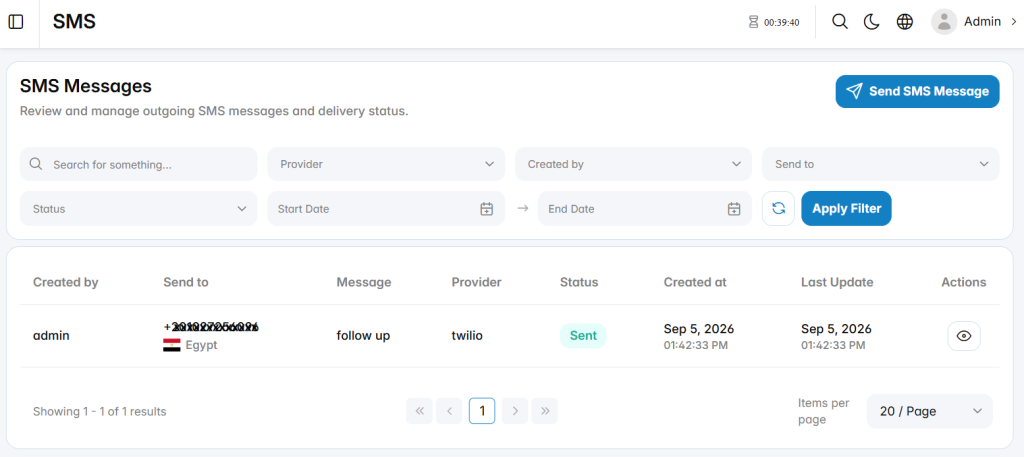
Send SMS Message
The Send SMS Message section is used to send a new SMS message to a contact. It allows users to select the recipient, use an existing SMS template, enter the message content, and select the SMS provider.
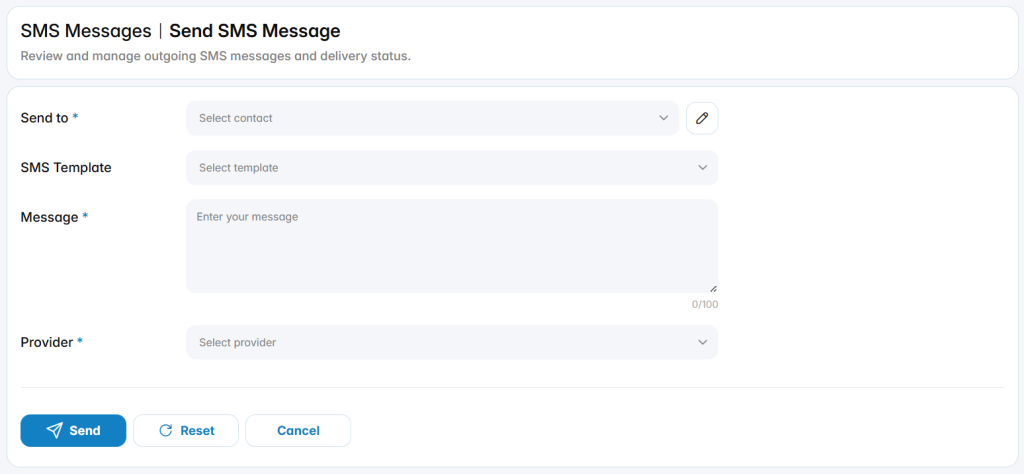
Send To: Specifies the contact who will receive the SMS message.
SMS Template: Selects a configured template to use as the message content.
Message: Defines the SMS message that will be sent to the selected contact.
Provider: Specifies the SMS provider used to send the message.