
The Open VPN section is used to configure an OpenVPN connection by uploading the required VPN configuration and certificate files. This allows the PBX system to establish a secure VPN tunnel using the provided client configuration.
Open VPN Files
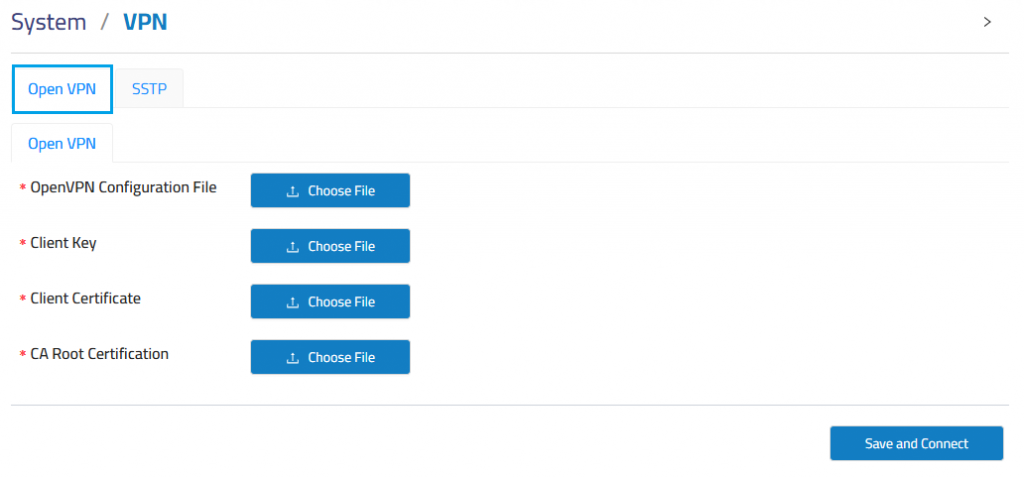
Configuration File: Uploads the OpenVPN client configuration file.
Certificate Key: Uploads the private key used for VPN authentication.
Client Certificate: Uploads the client certificate assigned to the PBX.
CA Root Certification: Uploads the certificate authority file used to verify the VPN server.
Open VPN Details
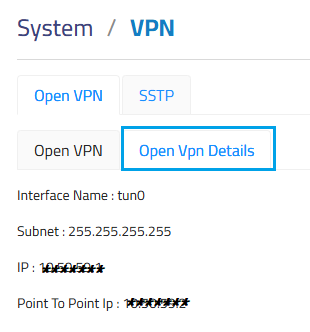
After uploading files, can you check IP from Open VPN Details .